Master How To Make AI Voice Over Effortlessly
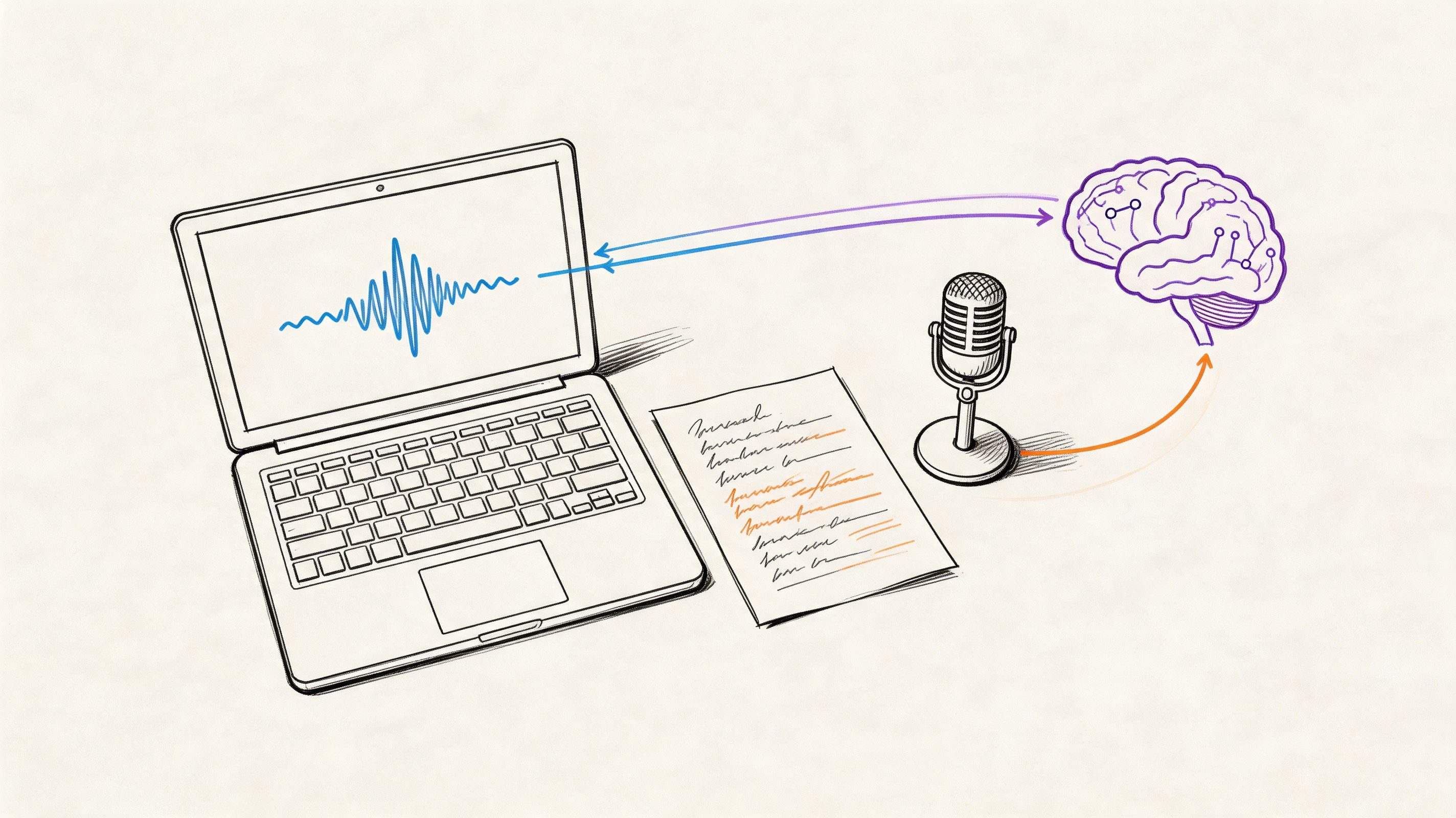
A lot of creators hit the same wall at the same point. The script is ready, the visuals are close, the idea is solid, and then the voice-over stalls everything. Recording it yourself takes multiple takes, cleanup, and a surprising amount of patience. Hiring a voice actor can work, but it adds cost, scheduling, revisions, and one more moving part to manage.
That’s why learning how to make ai voice over properly matters. Not just how to paste text into a box and click generate, but how to shape a result that sounds intentional, paced, and usable in a real project. The difference between a robotic read and a convincing one usually comes down to preparation and direction.
From Silent Scripts to Captivating Sound
The usual bottleneck isn't writing. It's turning writing into audio that feels polished enough to publish.
One week you're finishing a YouTube script at midnight. The next day you're re-recording the same paragraph because your room tone changed, your energy dropped halfway through, or one sentence sounds awkward when spoken aloud. If you've hired freelancers before, you already know the other side of it. A strong first take can still turn into a slow revision cycle when pronunciation, pacing, or emphasis misses the mark.

AI voice generation changed that workflow from a production problem into an editing problem. That's a much better problem to have. Instead of waiting on availability or spending your evening noise-reducing takes, you can focus on script quality, voice choice, and performance tuning.
Practical rule: The first draft of an AI voice-over should be treated like a table read, not the final performance.
That mindset helps. When you stop expecting one-click perfection, the process becomes easier and the output gets better. Good AI voice-over work isn't lazy. It's directed.
Why AI Voice Overs Transform Content Creation
AI voice-over changes content production because it shifts the hard part. Instead of spending hours recording retakes and cleaning audio, creators can spend that time shaping delivery, testing versions, and getting the read to sound intentional.
That difference matters more than the raw speed.
A good AI workflow lets you revise narration the same way you revise copy. Change one line, regenerate one section, compare two deliveries, keep the stronger take. For YouTube videos, courses, explainers, product demos, and ads, that kind of control shortens the distance between script draft and publish-ready audio.
Faster production creates room for direction
Time pressure usually forces bad decisions. You keep a take that is only good enough because recording it again takes too long. You avoid testing alternate intros because each new version means more editing. AI removes much of that friction.
That opens up a better creative process. You can audition multiple phrasings, try a different pacing style, or soften a line that sounds too sales-heavy. The result is not just faster output. It is a more directed performance, because there is finally enough time to shape the read instead of settling for the first usable pass.
If you want that process to work, the script still has to cooperate. A strong voice-over script structure for AI narration makes iteration much easier.
Consistency helps recurring content
Human voice work changes from session to session. Energy shifts. Mic position changes. Room noise creeps in. Sometimes that variation adds personality. Sometimes it creates a continuity problem.
AI voice tools give creators a stable baseline they can direct on purpose. Once the voice, pacing, and tone fit the project, that style can carry across a course library, a weekly video series, onboarding tutorials, or a bank of ad variants. The gain is not only consistency of sound. It is consistency of brand presentation.
Scale gets easier, but only if you direct the output
One script often turns into several assets. A long-form video becomes shorts. A webinar becomes lessons. A product explainer becomes paid social cutdowns. AI voice-over makes those format changes practical because the narration does not need to be rebuilt from zero every time.
The same production logic applies in adjacent audio workflows. This guide to AI for producers is a useful look at how creators combine AI generation with hands-on editing instead of handing over the whole job.
The real advantage is creative control
Cheap, fast narration is easy to get now. Useful narration is harder.
The strongest AI voice-overs come from creators who treat the model like talent that needs direction. They adjust pacing, pronunciation, pause length, emphasis, and emotional intensity until the read supports the script's purpose. That is the shift that matters. AI stops being a utility and becomes a performance tool.
Used that way, AI voice-over does more than save production time. It gives creators more chances to make the narration sound deliberate, human, and on-brand.
Preparing Your Script for a Flawless AI Read
A script can look polished in Google Docs and still fall apart the second an AI voice reads it out loud.
That usually happens because the script was written to be scanned, not performed. AI does not infer intent the way a human narrator can. If you want a read that sounds directed instead of merely generated, the page has to carry timing, emphasis, and pronunciation cues in a form the model can follow.
Write the way people speak
Good AI narration starts with speakable sentences. Shorter lines tend to hold their shape better. If one sentence tries to carry setup, detail, and conclusion at once, split it before you generate anything.
I usually check one thing first. Can I say the line cleanly in one breath without forcing the rhythm? If not, the model will usually rush it, flatten it, or place emphasis in the wrong spot.
Natural writing does not mean casual writing. It means each line sounds like something a person would say out loud on purpose.
Punctuation is part of direction
Writers often treat punctuation as cleanup. In voice-over work, punctuation is performance control.
A comma can slow the read just enough to keep a phrase clear. A period can stop the model from smearing two ideas together. Line breaks help when you want a beat between thoughts or a stronger reset before a key line. Small marks change delivery more than many creators expect, especially once you start fine-tuning pace and emphasis later.
Use punctuation with intent:
- Split crowded sentences: One idea per sentence usually reads better than a stack of clauses.
- Use commas for real pauses: If the pause would sound odd from a human narrator, remove it.
- Prefer periods over semicolons: AI voices usually handle clean stops better.
- Add line breaks around important moments: This helps preserve rhythm and separation.
If you stumble on a sentence during a read-through, the AI will probably struggle with it too.
Clean up anything the model could misread
The starting point for much robotic output is this. The problem is rarely the voice itself. The problem is text that leaves too much room for interpretation.
A quick preflight pass catches most of it:
| Script issue | Better approach |
|---|---|
| Acronyms with unclear pronunciation | Spell them out if needed |
| Brand names | Add a pronunciation note |
| Symbols like % or / | Rewrite them as spoken words |
| Dense number strings | Write how you would say them aloud |
| Unusual capitalization | Normalize it unless pronunciation depends on it |
If you write voice-over regularly, keep a repeatable script format. I recommend studying a few strong examples of pacing and phrasing in this voice-over script guide.
Read the script aloud before you generate
Silent editing misses the problems that matter most in narration. A quick spoken pass reveals clunky phrasing, fake-sounding transitions, and words that look fine on the page but feel awkward in the mouth.
You do not need a studio setup for this test. A quiet room is enough. If you want cleaner scratch recordings for review takes or cloning prep, this list of Budget Loadout's best cheap USB mics is a practical place to start.
Listen for three things:
- Where the line needs a pause
- Which words are doing too much work
- Which sentence needs a rewrite instead of a plugin fix
That last one saves the most time. Bad lines rarely become strong voice-over through editing alone.
Prepare for voice cloning differently
Cloning adds another layer. You are not only preparing the final script. You are also preparing the training material the model learns from.
As noted earlier, strong cloning results depend on clean, consistent source audio. Record clear takes with low room noise and stable mic distance. Use varied sentences, but keep the delivery controlled. Do not oversell the performance in the training clips. Neutral recordings give you more room to direct style later with generation settings.
This is the trade-off. Expressive source audio can feel impressive in a sample, but it often locks the model into habits you will spend time undoing. Clean and balanced recordings give you a more flexible voice to direct later.
Generating Your Voice with an AI Tool like Lazybird
Once the script is cleaned up, generation gets much easier. This part should feel less like audio engineering and more like casting.
Start with the version of the script you'd want to publish. Don't paste rough notes and hope the tool interprets your intent. Good inputs lead to fewer fixes later.

Pick the voice by role, not by novelty
A common mistake is choosing a voice because it sounds impressive in isolation. That isn't the same as fitting the project.
Ask what job the voice needs to do.
For example:
- Explainer video: You usually want clarity, warmth, and steady pacing.
- Short ad or social clip: A slightly more energetic read often works better.
- E-learning lesson: Stable cadence matters more than personality-heavy delivery.
- Audiobook or long narration: Listener comfort matters. Avoid a voice that feels tiring over time.
If the platform offers a large library, narrow the search by use case first. A voice that feels cinematic might be wrong for software onboarding. A bright commercial voice might feel off in a meditation track.
Generate a short test before the full piece
Don't render the whole script first. Generate a representative paragraph.
Choose a section with:
- one brand or product name
- one sentence with a natural pause
- one line that carries emotion or emphasis
That test clip tells you whether the voice fits your material. It also reveals whether the script still contains any pronunciation traps.
Lazybird is one option built for this workflow. It provides over 200 lifelike voices across 100+ languages and accents, along with controls for pitch, speed, pauses, pronunciation, and speaking tone. That makes it practical for creators who need to move from draft script to editable voice-over without switching between multiple tools.
Match the model to the audience
Multilingual capability isn't only for translation. It also helps when your audience expects a specific accent or regional feel. The better platforms now handle broad language support well enough that accent and phrasing become creative decisions instead of technical limitations.
This is also where your script preparation pays off. Clean punctuation and natural sentence structure give the model clearer instructions, which is one reason prepared scripts can improve naturalness and reduce reading errors, as noted earlier in the linked model overview.
A quick walkthrough helps if you're seeing this process for the first time:
Use the first render to diagnose, not to judge
The first output answers practical questions:
| What to listen for | What it usually means |
|---|---|
| The read feels rushed | The script needs stronger punctuation or slower speed |
| One phrase sounds robotic | The sentence structure is unnatural |
| A proper noun is wrong | Add pronunciation guidance |
| The energy feels flat | Choose a different voice or tune emphasis later |
| The transitions feel abrupt | Insert line breaks or pauses |
A believable voice-over usually comes from two things working together. A clean script and a voice that fits the job.
Keep your selection criteria simple
When people are new to AI voice-over, they often compare too many options and end up listening for novelty instead of usefulness. I prefer to narrow the choice quickly.
Use three filters:
- Can I understand every word easily?
- Does the tone fit the format?
- Could I listen to this for the full length of the project?
If the answer is no to any of those, switch voices fast. Fine-tuning helps a lot, but it can't rescue a poor casting choice.
Directing the AI Performance with Advanced Tuning
Here, AI voice-over stops sounding like generic text-to-speech and starts sounding directed.
A flat result usually isn't a model problem. It's a direction problem. The voice needs pacing, emphasis, and space to land the meaning of the script. That's why advanced controls matter so much. They let you shape delivery instead of accepting the default read.

Professional workflows use fine-tuning to boost audio naturalness scores from 3.8 to 4.6 out of 5. Using SSML for pronunciation can reduce errors by 85%, while adjusting pacing, pauses of 200-500ms, and pitch within ±20% allows for a directed performance associated with 92% listener retention in audiobooks, according to Revocalize.ai's guide to custom voice creation.
Start with pacing before anything else
Most creators reach for tone controls first. I usually fix pacing first because rhythm changes how every line feels.
A slower read isn't automatically better. It just gives the words more room. If your script explains a process, teaches a concept, or carries emotional weight, a slightly slower delivery often sounds more confident. If it's a short promo or social clip, you may want more momentum.
Try listening for these cues:
- If the voice sounds breathless: slow it down slightly.
- If it sounds sleepy: tighten sentence length first, then consider a small speed increase.
- If the script loses impact: add pauses around the key line instead of lowering the speed everywhere.
Use pauses to create meaning
Pauses do more than mimic breathing. They separate ideas.
A pause before a key phrase creates anticipation. A pause after a strong claim gives the listener time to process it. Without those breaks, even a good voice can sound like it's rushing through a paragraph.
Small pauses work well in places like:
- after a hook
- before a number or product name
- between two contrasting ideas
- after a call to action
You don't need to overdo it. A handful of intentional pauses does more than scattering them everywhere.
Adjust pitch for feeling, not effect
Pitch control is useful, but it's easy to misuse. Large changes can sound artificial fast.
Small pitch shifts can help:
- raise engagement slightly in upbeat promo copy
- add gravity in serious narration
- reduce edge in voices that feel too sharp
- support warmth in conversational content
The key is subtlety. Most of the time, if pitch sounds "noticeable," you've pushed it too far.
The goal isn't to make the AI sound dramatic. The goal is to make the meaning sound clear.
Use pronunciation controls when a word must land correctly
Brand names, technical terms, surnames, and place names can ruin an otherwise strong voice-over if they're wrong. In such cases, pronunciation tools and SSML become practical.
SSML sounds technical, but the idea is simple. You add instructions so the model knows how to say something. That matters when standard spelling doesn't match spoken reality.
Useful cases include:
- Uncommon names
- Industry terminology
- Acronyms with a preferred spoken form
- Words that change meaning depending on pronunciation
If you want more context on platform-level controls and setup decisions, this guide on how to use AI voice is a good companion read.
Build a directed performance in layers
I don't treat fine-tuning as one big adjustment. I treat it like a sequence.
First, fix the script. Then set the voice. Then shape the performance.
A practical tuning order looks like this:
| Pass | Focus |
|---|---|
| First pass | Correct obvious pronunciation issues |
| Second pass | Adjust speed for the overall mood |
| Third pass | Add pauses where ideas need separation |
| Final pass | Tweak pitch or emphasis only where needed |
That order matters because it prevents over-editing. If pacing is wrong, pitch won't solve it. If the script is clumsy, emphasis won't rescue it.
Integrating Your New Voice Over into Your Project
Once the voice-over sounds right, export choices matter. A clean read can still lose quality if you choose the wrong format for the next stage of production.

For most creator workflows, the decision is simple. WAV is the safer choice if you're still editing, mixing with music, or handing the file to an editor. MP3 is convenient when you need a smaller file for quick publishing or review.
Match the export to the job
Professional workflows commonly export in MP3 or WAV at 48kHz and 192kbps for YouTube and podcast use, based on the production steps described in the earlier Revocalize workflow discussion.
Use this as a simple rule of thumb:
- Choose WAV: when the project is still in production
- Choose MP3: when speed and file size matter more than editing flexibility
Drop it into the timeline and listen in context
A voice-over that sounds perfect on its own can feel too fast once visuals, transitions, and music are added. Import the file into your video editor, podcast editor, course builder, or LMS and listen with everything else active.
Check three things:
- Clarity: Is the voice still easy to understand under music?
- Timing: Do visuals change before or after the line lands?
- Spacing: Does the track need room at the start or end for cleaner edits?
If you're creating narrated video, this guide to text to speech for video is helpful for thinking through voice-over placement inside the broader edit.
A small trim, fade, or level adjustment is often all that's needed. The main goal is simple. The narration should feel embedded in the project, not pasted on top of it.
Conclusion Your Voice Over Authority Starts Now
The biggest shift is this. You're no longer stuck waiting for a voice-over to happen. You can write the script, shape the read, direct the performance, and place the finished audio into your project on your own timeline.
That's what makes this skill valuable. Not just speed, and not just lower cost. It's the control. Once you understand script prep, voice selection, and tuning, AI voice-over stops being a shortcut and starts becoming part of your creative process.
If you've been wondering how to make ai voice over that sounds polished enough for YouTube, podcasts, courses, social clips, or narrated videos, the answer isn't one setting. It's a workflow. Clean script. Smart voice choice. Intentional tuning. Final context check.
The creators who get strong results don't settle for the first render. They direct it until it sounds like it belongs in the project.
If you're ready to put that workflow into practice, try Lazybird to turn a finished script into a controllable AI voice-over, adjust pacing, pitch, pauses, and pronunciation, and export audio for your next video, course, podcast, or short-form project.
