AI Auto Voicemail Message: A Step-by-Step Guide
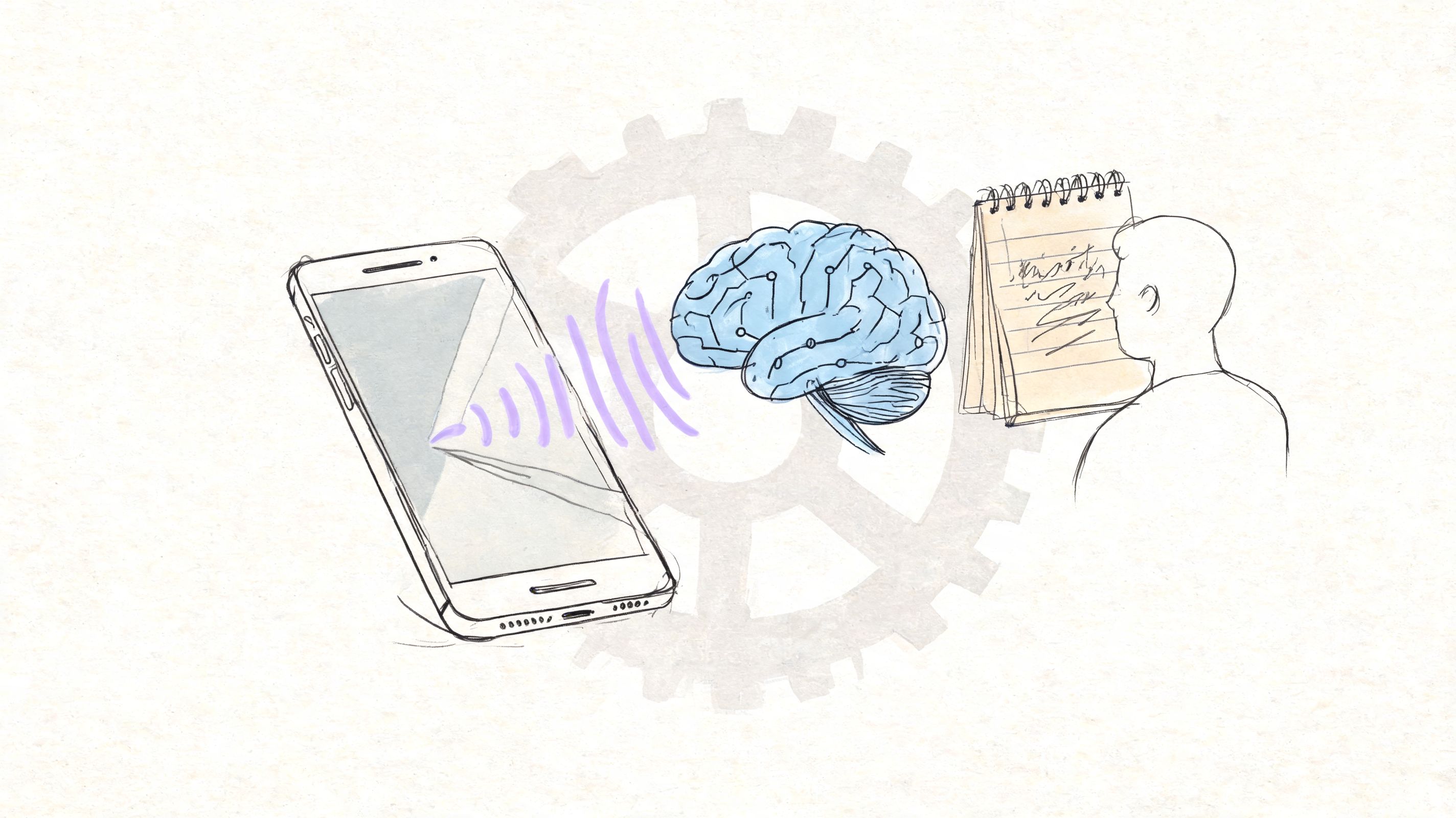
A missed call rarely feels urgent when you review it later. For the caller, it was a decision point. They needed help, reached your line, heard a generic greeting, and decided whether your business was worth one more step.
An auto voicemail message shapes that decision faster than many teams realize. RingCentral’s reporting on voicemail and missed-call habits makes the broader point clear. Voicemail is still a routine part of business communication, even as fewer callers have patience for vague prompts and dead-end phone experiences. If your greeting sounds generic, callers assume the follow-up will be generic too.
That creates a practical problem. A basic phone-system greeting only confirms that nobody picked up. A stronger message tells callers they reached the right business, sets a response expectation, and gives them a low-friction next step such as leaving details, sending a text, or using another contact route.
Specialized tools improve this more than default phone settings can. With Lazybird, teams can turn a written script into a polished greeting that matches the brand, choose a voice that fits the audience, and update messages quickly for business hours, campaigns, staffing changes, or seasonal demand. For ideas on tone and structure, these professional phone greeting examples are a useful starting point.
The gain is simple. Callers hear an organized business instead of a beep and a hope.
Beyond the Beep The Untapped Power of Your Voicemail
A prospect calls during lunch. A returning client rings after hours. A homeowner wants a quote before booking a cleaner. In each case, your voicemail is not a leftover phone setting. It is the first proof that your business is organized, responsive, and easy to work with.
That moment carries more weight than many teams give it. Analysts at RingCentral have noted that voicemail remains a regular part of business calling behavior, even as callers grow less willing to leave long messages or wait without a clear next step. A weak greeting creates uncertainty fast. A strong one reduces it just as fast.
Default greetings rarely do enough. They confirm a missed call, but they do not reassure the caller, guide them, or protect the brand. A better auto voicemail message does all three in under 30 seconds. With a specialized tool like Lazybird, teams can go further than the stock options built into a phone system. They can create a polished message from a script, choose a voice that fits the business, swap greetings for business hours or campaigns, and keep the experience consistent across locations or departments.
That matters in service businesses especially. If someone is comparing vendors, the voicemail they hear can affect whether they wait for your callback or move to the next provider. The same logic applies to field teams using booking tools for house cleaners. The scheduling system may be modern, but if the voicemail sounds vague or dated, the customer experience still feels disjointed.
What a caller is judging in seconds
Callers are listening for a few practical signals:
- Identity: Did they reach the right business, team, or person?
- Process: What should they do now?
- Timing: How soon should they expect a response?
- Confidence: Does this sound like a business that has its communication handled?
This is also where advanced setup starts to matter. An AI-generated voicemail is not only about convenience. Voice selection, pacing, pronunciation, and script clarity affect how credible the message sounds. For businesses using ringless voicemail campaigns, compliance matters too. Consent rules, caller identification, and message content need review before any large-scale outbound use.
A voicemail greeting is often your first recorded handoff. If it sounds generic, the business sounds generic. If you want a benchmark for what polished sounds like, review these professional phone greeting examples for business use.
Why Your Default Voicemail Is Costing You Leads
The default voicemail greeting is cheap to keep and expensive to ignore. It usually sounds mechanical, gives the caller no reason to respond, and creates a weak handoff at the exact moment interest is fading.

The problem gets worse in teams that make or receive a high volume of calls. Sales reps and service staff often spend time sorting missed calls, logging voicemails, and deciding what deserves follow-up first. That administrative drag adds up. Pairing automated voicemail drops with accurate Answering Machine Detection can recover approximately 25 hours of labor per month for each sales representative, according to Convoso’s AMD and voicemail workflow analysis.
What weak voicemail sounds like to a caller
A generic greeting often creates three reactions:
“This business may not call back soon.”
If you don’t set expectations, callers assume delay.“I’ll try someone else first.”
The less guidance you provide, the easier it is to abandon the call.“This feels disorganized.”
A stale or robotic message makes even a competent business sound behind.
That isn’t limited to sales teams. A cleaning company, for example, can lose ready-to-book customers because the phone experience creates friction. If you’re tightening that entire intake process, these booking tools for house cleaners show how scheduling and responsiveness fit together.
Practical rule: If your voicemail could belong to any business in any industry, it probably isn’t doing enough to help your business specifically.
A working auto voicemail message should reduce uncertainty. It should tell callers who they reached, what to leave, and what happens next.
How to Write a Voicemail Script That Gets Callbacks
A strong voicemail script doesn’t try to say everything. It does four jobs quickly. It identifies you, explains why the caller should care, gives a next step, and sounds human when played back.

The core script structure
Use this sequence as your baseline:
- Start with identity: Say your name or business name immediately.
- State purpose fast: Don’t bury the reason for the call or the kind of help you provide.
- Offer a reason to respond: Give the caller a benefit, not just an instruction.
- Give one simple action: Ask for a message, a text, or a callback. Don’t offer five options.
- Repeat contact details clearly: If you include a number, say it slowly.
- End before it drags: Brevity improves listen-through.
Here’s a general business example:
“Hi, you’ve reached Northside Dental. We can’t take your call right now, but we do return messages promptly during business hours. Please leave your name, number, and the reason for your call, and we’ll get back to you soon.”
Here’s a lead-generation version:
“Hi, this is Marcus from Blue Ridge Renovation. Thanks for calling. If you’re looking for a quote or project timeline, leave your name, number, and a short note about the job, and we’ll follow up with the next steps.”
Write for the ear, not the page
A voicemail script that reads well can still sound stiff. Spoken audio needs shorter phrases, cleaner transitions, and a few intentional pauses. That’s especially important when you’re generating the message with AI.
Data from A/B tests showed that AI-generated voicemails with slight, human-like imperfections in speed and pitch had a 28% higher callback rate than overly polished, robotic-sounding messages, according to Slybroadcast’s testing summary. That means the goal isn’t perfection. It’s credibility.
A few writing adjustments help:
- Use contractions: “We’ll call you back” sounds more natural than “we will call you back.”
- Avoid stacked clauses: Long sentences make synthetic delivery feel more synthetic.
- Mark pauses intentionally: Add line breaks or punctuation where you want a natural breath.
- Read it out loud once: If you trip over it, callers probably will too.
If you want a faster starting point, these examples for a script for voice over can help you shape phrasing that sounds spoken rather than written.
Match the script to the situation
Different use cases need different scripts. A single generic greeting usually underperforms.
| Situation | What to emphasize |
|---|---|
| General business line | Business name, office status, clear next step |
| Sales outreach | Why you called, what value the callback creates |
| Support follow-up | Reassurance, ticket context, easy way to reply |
| Out of office | Return timing, alternate contact route if relevant |
The best scripts feel specific without sounding cluttered.
Bringing Your Script to Life with an AI Voice Generator
Once the script is solid, the production part is straightforward. You don’t need a quiet recording booth, a good microphone, or a team member who likes hearing their own voice. You need a tool that lets you control delivery.

The workflow is simple. Paste the script, choose a voice that fits your brand, adjust the pacing, listen back, then export the file. What matters is the editing control between those steps.
What to adjust before you export
For voicemail, small changes matter more than dramatic ones.
- Pace: If the voice runs too fast, callers miss names and numbers. Slow it slightly.
- Pitch: A subtle pitch adjustment can make a message sound calmer or more approachable.
- Pauses: Brief pauses before key instructions improve clarity.
- Pronunciation: Business names, local street names, and acronyms often need manual tuning.
- Tone: Support lines usually need warmth. Sales follow-ups often need more energy and precision.
One option for this is Lazybird’s AI voice generator online, which supports lifelike voices, voice customization, pronunciation control, pauses, and exported audio files that can be used in voicemail or IVR workflows.
If the voice sounds too polished, people notice. If it sounds too flat, they tune out. The sweet spot is controlled realism.
A practical production pass
A useful way to produce an auto voicemail message is to create two or three variants, then compare them side by side.
Try one version that sounds more formal, another with a warmer tone, and a third that’s slightly slower. Listen for friction points. Does the business name sound rushed? Does the callback instruction feel buried? Does the final sentence sound abrupt?
This walkthrough gives a visual sense of how the process works in practice:
What usually goes wrong
Most weak AI voicemail production comes from one of these mistakes:
- The script is too long: Long greetings feel self-important.
- The voice is mismatched: A playful voice for a legal office creates distrust.
- The pacing is uniform: Real speech has variation.
- No one checks mobile playback: A message that sounds fine on desktop speakers may sound muddy on a phone.
Export the final version as an MP3 and save a clean filename so it’s easy to identify later when uploading to your phone system.
Putting Your New Voicemail Message to Work
Creating the file is only half the job. Deployment is where many teams stall, mostly because every phone system labels voicemail settings differently. The actual process is usually less technical than people expect.

Where to upload the file
Most systems place voicemail audio inside one of these areas:
- VoIP admin dashboards: Look for greetings, voicemail, inbox, or call handling.
- IVR or PBX menus: The file may live under prompts, announcements, or routing audio.
- Business mobile apps: Many carrier or VoIP apps let you replace a default greeting with uploaded audio.
If your system doesn’t allow direct upload, it may let you call in and record the message. In that case, use your generated file as a script and playback reference so the spoken version stays consistent.
Deployment options that fit different teams
A solo operator usually needs one standard greeting and one after-hours version. A service team may need department-specific greetings. A sales operation may use voicemail drops for outbound workflows.
That’s where implementation starts affecting results. Ringless voicemail campaigns can achieve listen rates of 60-78%, significantly outperforming email’s 15-25% open rates, according to Robotalker’s ringless voicemail benchmark summary. The message itself matters, but so does where and how you deploy it.
A clean rollout usually looks like this:
- Name each file clearly so staff can tell standard greetings from after-hours versions.
- Map each message to one use case instead of trying to reuse one recording everywhere.
- Test from an outside number before considering the upload finished.
- Review the caller path so the greeting matches the rest of the phone flow.
A polished voicemail that sits in the wrong place in your call flow won’t help much. The system path has to make sense to the caller.
Advanced Voicemail Strategies and Compliance
Once a basic greeting is working, many teams start looking at voicemail drops, segmented messages, and broader outbound call workflows. That can be effective, but it also changes the risk profile. Convenience doesn’t remove legal responsibility.
The biggest issue is consent. In the United States, FCC rulings post-2024 mandate prior express consent for Ringless Voicemail Drops under the TCPA, with potential fines reaching $1,500 per violation. Non-compliance has led to lawsuits for 15% of providers in 2025, according to Power Dialer’s compliance summary. If you’re sending ringless messages without a documented consent process, you’re not optimizing a campaign. You’re creating exposure.
Where teams get careless
The common failure points aren’t technical. They’re operational.
- Consent isn’t documented: Someone assumes an existing lead list is enough.
- Campaigns outgrow process: Marketing launches faster than compliance review.
- AI voice use isn’t disclosed when needed: That creates trust issues even before legal issues.
- CRM records stay incomplete: Opt-ins, opt-outs, and message history need one system of record.
For organizations building this into a larger communications stack, it helps to think in terms of connected channels rather than isolated call tools. This overview of how SES Computers explains unified communications is useful context if you’re trying to connect calling, messaging, routing, and internal processes.
A safer operating standard
Use ringless voicemail only when you can answer yes to these questions:
| Compliance check | What to confirm |
|---|---|
| Consent | Did the recipient clearly agree to this kind of contact? |
| Recordkeeping | Can your team prove when and how consent was captured? |
| Opt-out handling | Is there a reliable process to stop future outreach? |
| Message governance | Has someone reviewed the script, audience, and use case? |
Teams that handle these points early tend to make better messaging decisions too. They segment better, write more clearly, and avoid the lazy habit of blasting one generic recording to everyone.
Your Auto Voicemail Questions Answered
Can I use an auto voicemail message on a personal phone
Usually, yes. The limitation isn’t the audio file. It’s the phone system. Some mobile carriers and native phone apps make custom greetings easy, while others keep you inside a record-by-phone workflow. If your setup is basic, you may need to use the AI-generated script as a recording guide rather than upload the file directly.
Should I create more than one voicemail message
Yes, if your call patterns change by context. A standard weekday greeting, an after-hours version, and an out-of-office message cover most needs. Businesses with appointment scheduling, support queues, or outbound prospecting often benefit from more specific versions because callers need different instructions in each scenario.
Is it better to use my own cloned voice or a pre-made AI voice
It depends on what the caller expects. If the voicemail is tied closely to a founder, consultant, or account manager, a cloned voice can preserve continuity. If the line represents a team or department, a neutral pre-made voice often sounds more appropriate and easier to maintain over time.
What if I’m also evaluating AI phone systems
That’s a separate decision from voicemail generation, but the two often overlap. If you’re comparing broader call automation tools by region, this guide to the best AI call assistant in the UAE is a helpful example of what to look for in a more complete phone workflow.
How often should I update my voicemail
Update it whenever the promise changes. If your hours, response times, service area, booking flow, or staffing model changed, your greeting should change too. A stale voicemail creates confusion faster than is generally appreciated.
If you need a fast way to turn a written script into a realistic voicemail recording, Lazybird can generate voiceovers from text with customizable voices, pacing, pitch, pauses, pronunciation controls, and voice cloning. That makes it useful for teams creating voicemail greetings, IVR prompts, and other short-form business audio without recording everything manually.
