Create a Pro Automated Voicemail Message

You might think a missed call is no big deal in our text-and-email world, but that couldn't be further from the truth. An automated voicemail isn't just a fallback; it’s a critical first impression.
When a potential client calls and you can't pick up, your voicemail greeting is the first real interaction they have with your brand.
Why Your Voicemail Greeting Matters More Than Ever
Let's be honest, a generic, robotic default message like "You have reached 555-1234" is just plain bad for business. It doesn't just sound lazy—it screams that you don't pay attention to the details. That single, missed opportunity can plant a seed of doubt in a caller's mind before you've even had a chance to speak with them.
Imagine a high-value prospect needs an urgent quote. They call, but your team is swamped. If they hit a clear, helpful message that sets expectations ("We'll get back to you within two business hours"), they feel acknowledged and respected. That small touch can be the difference between getting that crucial callback and losing them to a competitor who seems more on the ball.
Creating Brand Consistency
A great voicemail greeting does more than just manage caller expectations; it’s a key part of your brand identity. When every person on your team uses a consistent, high-quality message, it projects a unified, polished image. That consistency is gold for building trust and making your business feel organized and reliable.
If you're looking for inspiration, you can find a ton of great professional phone greeting examples for 2025 to find a style that fits your company's vibe.
We’ve come a long way since the clunky answering machines of the 1970s. Today, technologies like visual voicemail are standard, and the market for it was valued at a whopping USD 1.5 billion in 2024. That number is only expected to grow, which tells you just how vital voice messaging remains in how we all communicate.
A polished voicemail isn't just a placeholder; it's a strategic communication tool. It manages the caller's experience, protects potential revenue, and solidifies your brand’s reputation for professionalism, one missed call at a time.
Integrating Voicemail into a Larger Strategy
At the end of the day, an effective automated voicemail is one piece of a much larger puzzle. It needs to work seamlessly alongside your email, chat, and other customer touchpoints to create a cohesive experience.
To see how this fits into the bigger picture, it's worth exploring modern Unified Communications strategies. This approach makes sure every interaction—even a missed call—reflects your company’s commitment to quality and service.
Writing a Voicemail Script That Actually Works

Let's be honest, the script is everything. It's the one thing that separates a voicemail that gets ignored from one that actually earns a callback. A sharp, well-written script can turn that missed call into a genuine opportunity, while a rambling, vague message just sends people searching for your competitors.
The goal here isn't just to leave a message; it's to connect with the caller and clearly guide them on what to do next.
You have a tiny window to make an impression. In fact, research shows that 59% of people decide whether to even finish listening to a voicemail within the first five seconds. That means you need to get straight to the point and prove your message is worth their time, immediately.
The best scripts aren't complicated. They’re built on a handful of key components that, when put together, create a smooth and professional experience for the caller.
The Core Components of a Great Script
Every effective voicemail script, no matter the situation, needs a few core elements. Think of these as the non-negotiable building blocks for your message.
- Immediate Identification: Kick things off by clearly stating your name (or the employee's name) and the company. This instantly lets the caller know they've reached the right place, eliminating any confusion right from the start.
- A Quick Reason for Missing the Call: You don't need to give them your life story. A simple and professional line like "we're currently assisting other clients" or "we're away from the desk right now" works perfectly.
- An Invitation to Leave a Message: It sounds obvious, but you'd be surprised how many people forget this. Explicitly asking the caller to leave their name, number, and a brief reason for calling encourages them to actually do it.
- A Clear Call-to-Action (CTA): This is the most important part. Tell them exactly what you want them to do. Should they leave a detailed message? Visit your website for more info? Or maybe send an email for a faster response? Be specific.
- Setting Clear Expectations: Let them know when they can expect to hear back from you. A specific timeframe like "within four business hours" or "by the end of the next business day" is infinitely better than a vague "as soon as possible."
A script isn't just a collection of words; it's a tool for managing expectations. By telling callers exactly what to do and when they'll hear back, you replace their frustration with confidence in your professionalism.
Before we dive into specific scenarios, it's helpful to see how these pieces fit together. Here’s a quick breakdown of the essential components you'll want to include in just about any voicemail script you create.
Key Elements for Effective Voicemail Scripts
| Component | Purpose | Example |
|---|---|---|
| Greeting & Identification | To immediately confirm who you are. | "Hello, you've reached Jane Doe at Acme Solutions." |
| Acknowledge the Call | To show you value their time. | "Thank you for your call." |
| Reason for Unavailability | To provide context without over-explaining. | "I'm currently away from my desk or on another line." |
| Call-to-Action (CTA) | To guide the caller on the next step. | "Please leave your name, number, and a brief message." |
| Set Callback Expectation | To manage expectations and build trust. | "I'll return your call within 24 business hours." |
| Alternative Contact (Optional) | To offer another way to get help. | "For urgent matters, please email support@acmesolutions.com." |
| Closing | To end the message professionally. | "Thank you for calling, and have a great day." |
Having these building blocks ready makes it much easier to adapt your message for any situation life throws at your business.
Adapting Your Script for Different Scenarios
A one-size-fits-all script just doesn't cut it. Your automated voicemail message needs to change based on the context to be truly helpful.
For a standard General Business Greeting, you'll want something welcoming and professional that works for any time of day. Think of it as your virtual front door—it needs to be polished and direct.
But an After-Hours Message needs a different approach. It should clearly state your business hours and, if possible, offer an alternative contact method like an email address for urgent issues.
Likewise, a Holiday Closure Message needs to be very specific about the dates you'll be closed and when you'll reopen. This kind of proactive communication prevents caller frustration and shows you respect their time.
Finding the Perfect AI Voice for Your Brand

Once you've nailed down the script, it's time to choose the voice that will bring it to life. This isn't just a minor detail—the voice you pick becomes the audible persona for your entire brand. It’s the first thing callers hear when they can't reach you, and it instantly shapes their perception of your company.
Using an AI-generated voice for your automated voicemail message gives you a level of consistency that's tough to get with human recordings. Every single caller gets the same clear, professional, on-brand greeting, every single time. No variations, no off days.
This is more important than ever. We're living in a world where voice interaction is becoming the norm. Think about it—by 2024, there will be an estimated 8.4 billion voice-enabled devices in use globally. And in the U.S. alone, 72% of consumers have already used a voice interface to interact with a business. A polished voice isn't a luxury anymore; it's a necessity.
Aligning Voice with Your Brand Identity
So, where do you start? The best way to choose an AI voice is to think about your brand's personality. Are you a serious financial consultancy that needs to project trust and expertise? Or are you a fun, creative agency that wants to sound energetic and approachable?
The voice has to match the vibe. A deep, steady voice might be perfect for a law firm, while a brighter, more upbeat tone could be a great fit for a retail brand. You're aiming for an auditory experience that feels completely authentic to who you are as a company.
To get the ideas flowing, think about these common voice archetypes:
- The Professional Authority: Clear, confident, and moderately paced. This is the go-to for corporate settings, legal firms, and financial institutions where credibility is everything.
- The Warm Helper: Friendly, empathetic, and a bit slower. It works wonders for healthcare providers, non-profits, and any customer service line where you want to sound reassuring.
- The Energetic Innovator: Dynamic, upbeat, and quick. This style is a natural fit for tech startups, creative agencies, and any brand trying to connect with a younger crowd.
Bringing Your Script to Life with Lazybird
The good news is that modern text-to-speech tools have made generating high-quality audio ridiculously simple. With a platform like Lazybird.app, you can turn your script into a polished automated voicemail message in minutes, no microphone or recording booth required.
The whole process is incredibly straightforward. You just paste your finished script into our editor, browse our library of realistic AI voices, and pick the one that best fits your brand.
It's as simple as it looks.
With just a click, you can hear a preview of your message. This lets you make sure the tone, pacing, and overall feel are exactly what you had in mind before committing.
The real magic of using a tool like Lazybird is the freedom to experiment. You can test your script with a dozen different voices in a matter of minutes. It’s the best way to be sure you’ve found the perfect match for your brand before you download the final MP3.
This kind of flexibility is a game-changer. If you’re having trouble deciding, take a look at our guide on the top 7 best AI voice over generators to see how Lazybird and other platforms stack up.
Once you’re happy with the result, one more click downloads a high-quality audio file, all ready to upload to your phone system. A task that used to be a tedious chore is now a quick and even creative part of managing your brand's voice.
Setting Up Your New Voicemail Message
Alright, you've done the creative work. You've got the perfect script and used an AI tool like Lazybird to generate a crisp, professional audio file. Now for the final piece of the puzzle: getting that new automated voicemail message live on your phone system.
This is where the rubber meets the road, turning that polished audio file into a real asset that works for you around the clock.
Thankfully, uploading a custom greeting isn't the technical headache it used to be. The rise of VoIP (Voice over Internet Protocol) has made features like this way more accessible for businesses of all sizes. It's no small trend, either—the United States alone has roughly 31 million VoIP users.
Navigating Common Phone System Interfaces
The first thing to know is that your experience will depend on whether you’re using a modern VoIP vs. landline phone system. While the exact buttons and menus might differ a bit between providers, most modern platforms have a pretty intuitive flow.
You'll almost always start by logging into your phone system's admin dashboard or user portal. From there, you’re hunting for a section labeled something like "Settings," "Phone System," or "Answering Rules."
Dig a little deeper, and you should find options for greetings or mailboxes. Keep an eye out for menu items like these:
- User Greetings: This is typically where you’ll manage the voicemail for an individual person or extension.
- Company Greetings: Look here for the main message that callers hear when they dial your primary business number.
- After-Hours or Holiday Rules: This is a goldmine for setting specific messages for times when your office is closed.
Once you’re in the right spot, you should see a clear option to upload a new greeting. This is where you'll select that MP3 file you created.
Pro Tip: Before you click "upload," double-check the system's requirements. Most platforms want a small file (usually under 5MB) in a standard format like MP3 or WAV.
The whole process, from recording to going live, really just breaks down into a few logical phases.
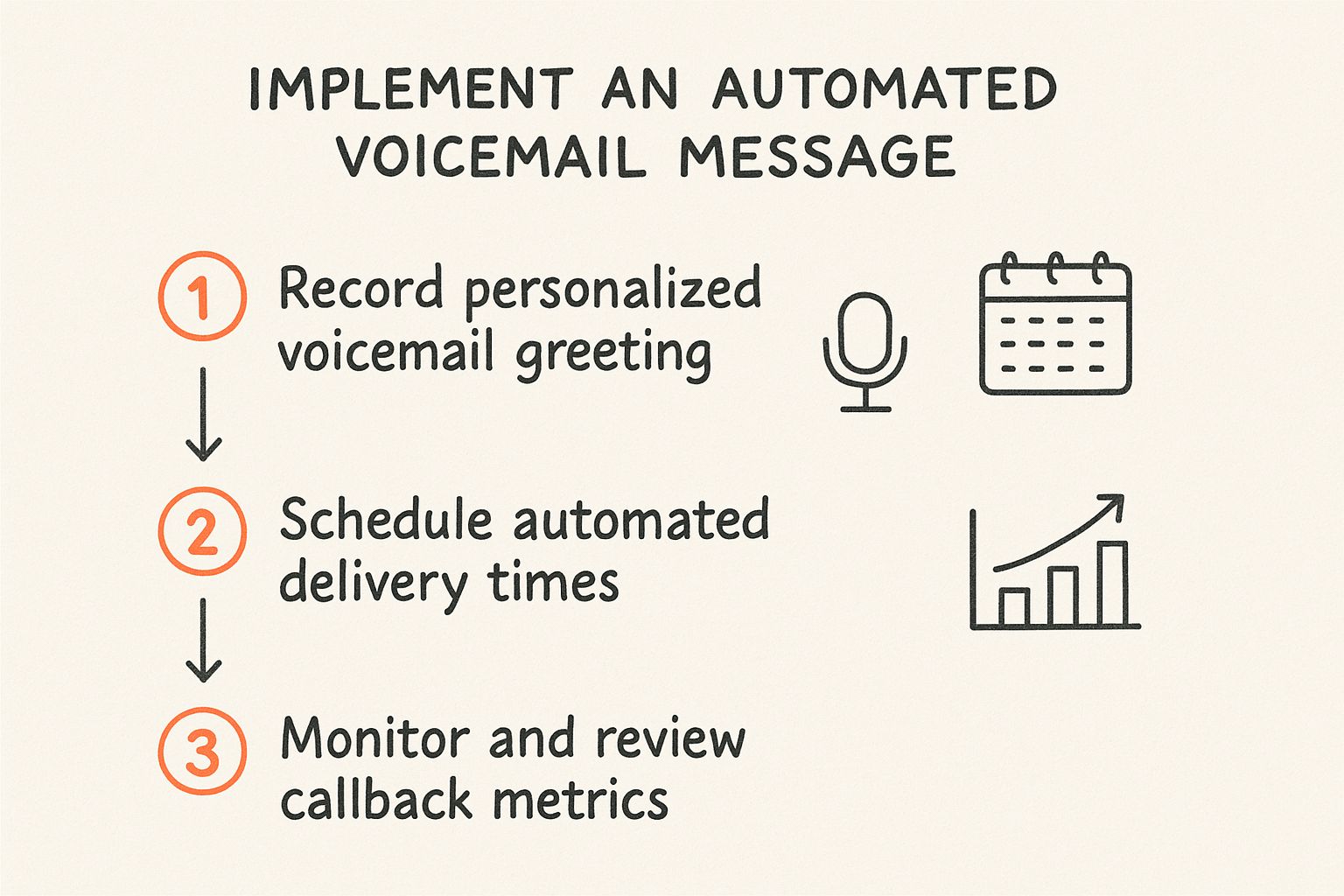
As you can see, the setup is just the beginning. The real magic happens when you schedule it correctly and circle back to see how it's performing.
Finalizing and Testing Your Greeting
After you’ve uploaded the file, most systems will give you a chance to preview it. Don't skip this. Listen to the message one last time through the platform to make sure the audio quality is perfect and nothing got garbled during the upload.
Finally, the moment of truth. Grab your cell phone and call your own business number. Hearing the message exactly as a customer would is the ultimate confirmation that everything is working perfectly.
This final check ensures every caller gets a seamless, professional experience from the get-go. And if you're looking for more ways to polish your setup, check out our deep dive on how to use AI voice for other business use cases.
Keeping Your Voicemail System Effective

It’s easy to breathe a sigh of relief after setting up a high-quality automated voicemail. You've recorded a great message, the AI voice is perfect, and everything is running smoothly. But here’s something I’ve learned over the years: your voicemail system isn't a "set it and forget it" tool.
Think of it like the welcome mat to your digital front door. It needs a quick refresh now and then to stay relevant and genuinely helpful. If you don't, you risk that polished system becoming outdated. A message that still mentions a holiday from two months ago or lists old business hours can make your company look disorganized, undoing all the hard work you put in.
Performing a Quarterly Voicemail Audit
The best way I've found to keep messaging sharp is with a simple quarterly audit. This doesn't have to be some monumental task. Honestly, a quick 15-minute check-in every three months is usually all it takes to catch potential issues before your callers do.
So, what should you be looking for? I usually focus on these three areas:
- Information Accuracy: First things first, are your business hours still correct? Is the email address or alternative contact info you provide still valid? It’s a small detail that makes a huge difference.
- Relevance: Listen for any ghosts of promotions past. Is the message still mentioning an event, a sale, or a holiday that's long gone?
- Audio Quality: Just call your own number and listen. Does it still sound crisp and professional? Sometimes, technical glitches can degrade audio files over time without you even noticing.
A proactive audit is the difference between a voicemail system that works for you and one that accidentally works against you. It ensures every caller receives accurate, professional, and helpful information, every single time.
Updating for Timely Events
Beyond those regular check-ups, some events should trigger an immediate update. These are fantastic opportunities to show callers that you're on the ball and considerate of their time.
Get into the habit of creating and scheduling special messages for moments like these:
- Holidays: A quick message acknowledging an upcoming holiday and informing callers of any changes to your schedule is a nice touch.
- Team Changes: This one’s critical. If your message directs callers to a specific person who has since left the company, it needs to be updated immediately to prevent confusion and frustration.
- Company Announcements: Got big news? Use your voicemail! It’s a great, subtle way to share things like a new office location or updated service offerings.
While an effective automated voicemail is a cornerstone of great off-hours support, it’s just one piece of the puzzle. For businesses that need to provide immediate, live interaction, exploring a dedicated inbound call center can be a powerful next step to complement your automated system.
A Few Common Voicemail Questions Answered
Even after you've got a solid plan, a few questions usually pop up when you're trying to get your automated voicemail just right. Let's clear up some of the most common ones so your final greeting is polished, professional, and actually works.
How Long Should a Voicemail Greeting Be?
The magic number here is between 20 and 30 seconds. This is the sweet spot. It's just enough time to give callers the essential info without them getting bored and hanging up.
Think about it: people decide whether to keep listening within the first few seconds. You have to get to the point, fast.
Your script needs to be tight and focused on the essentials:
- Who you are (your name and company)
- A quick reason you missed the call
- A clear call-to-action (what should they do now?)
- Tell them when to expect a call back
If you go much longer, you risk them dropping off before you've even told them what to do next.
Should I Use Music in My Voicemail Greeting?
For almost every professional situation, the answer is a hard no.
It might seem like a cool way to inject some personality, but background music usually causes more problems than it solves. It can make your message incredibly difficult to understand, especially if your caller is in a noisy place or has trouble hearing.
Clarity is everything. A clean, crisp recording with zero distractions ensures your message gets through loud and clear. This is one area where an AI-generated voice from a tool like Lazybird.app really shines, giving you that studio-quality sound without any of the background noise you'd get from recording on your phone.
A professional voicemail should prioritize clarity over creativity. Background music can muddle your message and make your business sound less professional. Stick to a clear, high-quality voice recording.
Why Use an AI Voice Instead of My Own?
Sure, you could record your own voice, but using an AI-generated one gives your business some serious advantages. The biggest one? Consistency.
An AI voice guarantees every single caller gets the exact same on-brand, professional message. No off days, no weird fluctuations in tone or energy—just perfect delivery, every time.
AI also completely eliminates those little recording mistakes we all make, like awkward pauses, background noise, or stumbling over a word. With a tool like Lazybird, you can create a flawless, high-quality automated voicemail message in minutes. It’s a level of polish that's really tough to match consistently when you’re just recording something on your own.
Ready to create a flawless, professional voicemail greeting in minutes? With Lazybird, you can turn any text into a studio-quality audio file using our state-of-the-art AI voices. It's the perfect tool for creating a polished automated voicemail message, IVR prompts, and more. Try it for free and discover how easy it is to elevate your brand's sound. Get started with Lazybird today!
