A Guide to Realistic Text to Speech Voices
Realistic text-to-speech voices aren't some far-off sci-fi concept anymore. They're a powerful tool that creators can use right now, generated by AI that masterfully mimics the subtle tones, pacing, and emotion of a human speaker. And with modern platforms like Lazybird, getting your hands on these incredibly lifelike voices for any project has never been easier.
What Makes AI Voices Sound So Human?
Have you ever listened to a text-to-speech voice and felt like someone was right there with you, while another sounded like a robot reading a script? The difference isn't just about getting the words right; it's about capturing the soul of human speech.
Think of the old TTS systems as clumsy puppets. They’d jerkily pronounce each word one by one, resulting in that classic, monotonous drone. Today’s AI voices, on the other hand, are more like seasoned actors. They use nuanced pacing, shifts in tone, and just the right amount of emotion to deliver a genuine performance, not just a dry reading.
Let's pull back the curtain and see exactly what's going on behind the scenes.
The Shift from Robotic to Realistic
That massive leap from clunky, synthetic speech to the smooth, natural audio we hear today is all thanks to huge strides in artificial intelligence. The older systems worked by essentially stitching together pre-recorded sounds (called phonemes). It's no wonder they often sounded so disjointed and unnatural.
But modern systems are playing a completely different game. They don't just play back sounds; they generate entirely new audio from scratch.
This is all driven by sophisticated algorithms that have been trained on enormous datasets of human speech. By analyzing all this data, the AI learns not just what words sound like, but how we actually say them in real conversations. This includes all the little things—the hesitations, the inflections, the subtle cues—that make speech feel authentic.
And people are noticing. The demand for high-quality TTS is exploding, with the global market valued at around USD 3.19 billion and projected to skyrocket to USD 12.4 billion by 2033. This incredible growth shows just how much these AI voices are becoming a part of our daily lives. You can dig deeper into the numbers in this data-driven report on TTS software statistics.
Key Elements of Lifelike Voices
So, what should you actually listen for when trying to tell if a TTS voice is truly realistic? It really boils down to a few critical ingredients that separate the best from the rest.
- Prosody and Intonation: This is the music of our speech—the way our pitch naturally rises and falls to show emotion or meaning. A flat voice sounds robotic. A voice with great prosody can ask a genuine question, express pure excitement, or convey deep seriousness.
- Pacing and Pauses: We don't talk in a non-stop stream of words. We pause for effect, to take a breath, or to let a big idea sink in. The best AI voices do this, too, making the delivery feel much more thoughtful and natural.
- Emotional Resonance: The most advanced AI can actually pick up on the emotional intent behind the words. This allows a voice to sound warm and friendly for a children's book, authoritative and clear for a corporate training video, or upbeat and energetic for a marketing ad.
The ultimate goal of modern TTS is not just to be understood, but to be felt. A truly realistic voice connects with the listener on an emotional level, making the content more engaging and memorable.
By the time you finish this guide, you’ll know exactly how this tech works and what to listen for when picking the perfect AI voice for your next project.
How AI Learns to Speak Naturally
The leap from those old, robotic voices to the realistic text to speech voices we hear today wasn't magic. It's the result of some seriously clever AI that essentially mimics how people learn to communicate. This is way more sophisticated than just hitting "play" on a bunch of audio clips; modern systems build voices from the ground up, learning the very soul of human speech.
To get your head around it, think of the AI as having two parts that work together: a brain and a set of vocal cords.
The "brain" of this whole operation is a field of AI called Natural Language Processing (NLP). NLP is what lets the system actually read and understand text, not just see a jumble of letters. It looks at grammar, context, and even the emotional subtext. This is how it can tell the difference between "I can't wait to go!" (pure excitement) and "I can't wait for this to be over." (total dread).
The Power of Neural Networks
Once the NLP "brain" has figured out the meaning and feeling behind the words, it sends that info to the "vocal cords"—a sophisticated type of AI called a neural network. A neural network is basically a computer system designed to recognize patterns, a lot like our own brains do.
These networks are trained on thousands of hours of crystal-clear audio from human voice actors. During this training, the AI isn't just memorizing sounds. It's learning all the complex, unwritten rules of natural speech, like:
- How our pitch naturally rises when we ask a question.
- The little pauses we use to create suspense or add emphasis.
- The subtle shifts in speed and volume that show we're confident or hesitant.
This approach is a complete departure from the old way of doing things.
You might remember the early text-to-speech from GPS devices or screen readers. That technology, called concatenative synthesis, worked by chopping up human speech into tiny soundbites (phonemes) and then crudely stitching them back together. That’s exactly why it always sounded so choppy and disjointed, like each word was spoken in a vacuum.
Modern neural TTS, on the other hand, generates a completely fresh, seamless audio waveform based on the patterns it's learned. It’s not just replaying old sounds; it's genuinely creating a new vocal performance from scratch, every single time.
From Data to Dynamic Speech
The secret ingredient making today's realistic text to speech voices so impressive is the staggering amount of data they're trained on. Think of it like a guitarist. A beginner knows a few basic chords, but a virtuoso has spent countless hours listening, practicing, and internalizing every last nuance of rhythm, melody, and emotion.
AI voice models do the exact same thing, just on an unimaginable scale. By sifting through massive libraries of speech, they learn the statistical connections between written text and the sounds of human expression. This allows them to predict how any given sentence should sound with incredible accuracy.
This is what allows high-quality platforms like Lazybird to offer voices that aren't just clear, but are also packed with personality and feeling. The AI has finally learned the unwritten rules of a good conversation.
Contrasting Old and New Methods
To really see how far we've come, just look at how the two methods stack up against each other.
| Feature | Old Concatenative TTS | Modern Neural TTS |
|---|---|---|
| Method | Stitches pre-recorded sound clips together. | Generates a new audio waveform from scratch. |
| Realism | Often sounded robotic, choppy, and monotonous. | Produces smooth, fluid, and natural-sounding speech. |
| Emotional Range | Very limited; typically one flat, neutral tone. | Can convey a wide range of emotions and styles. |
| Flexibility | Difficult to modify pitch, speed, or tone. | Allows for fine-tuning of prosody, pacing, and emphasis. |
This evolution is why you can now generate a voiceover that sounds genuinely pumped up for a marketing video or warm and reassuring for a training module. The technology has moved beyond just converting text into sound; it’s now about artfully performing a script. This ability to generate authentic, emotionally resonant audio is what truly defines modern, realistic text to speech voices.
What Makes an AI Voice Sound Truly Realistic?
It's one thing to hear an AI voice and think, "Okay, that's pretty clear." It's another thing entirely to hear one and almost forget you're not listening to a person. Getting past that initial reaction requires tuning your ear to the subtle, almost invisible details that separate a good voice from a genuinely believable one.
When you learn what to listen for, you can pick realistic text to speech voices that don't just talk at your audience, but actually connect with them. At the end of the day, a realistic voice feels authentic because it captures the beautiful imperfections and rhythms of human speech. It’s not about robotic perfection; it's about being convincingly human.
This handy visual breaks down the layers of realism, from basic clarity all the way to nuanced emotional delivery.
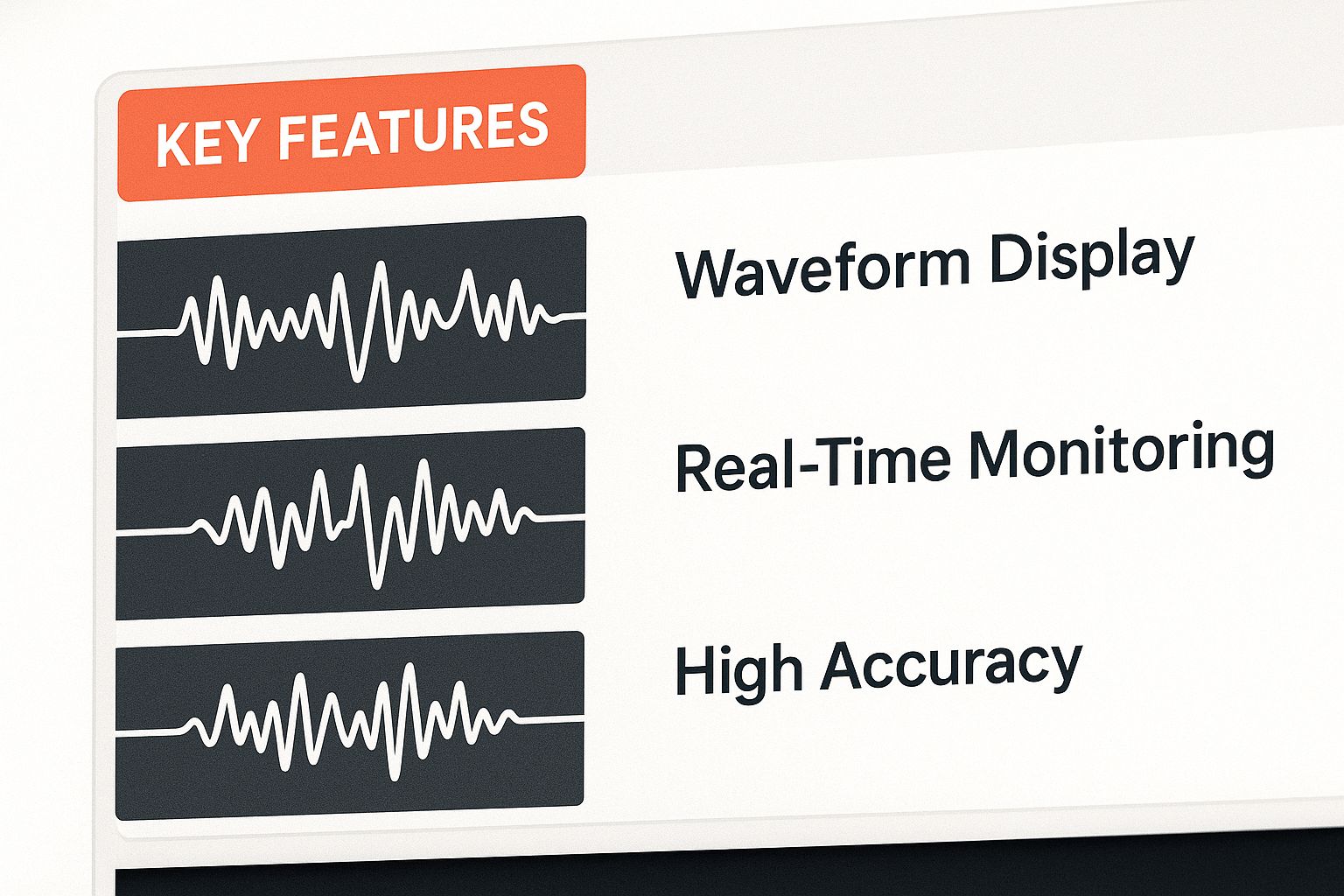
As you can see, foundational qualities like clear audio are the building blocks for more advanced features. Realism is a layered cake, not a single ingredient. Let's dig into these qualities so you can start evaluating voices like a pro.
Evaluating TTS Voice Quality
To really get a handle on what makes a voice stand out, it helps to break down the key characteristics. The following table moves from the absolute must-haves, like basic clarity, to the more advanced traits like emotional nuance that mark a truly premium AI voice.
| Quality Aspect | Description | Why It Matters |
|---|---|---|
| Clarity & Articulation | The voice is crisp, clear, and free of any digital noise, static, or glitches. Every word is easy to understand. | This is the foundation. If listeners can't understand the words, nothing else matters. It's about basic comprehension. |
| Prosody & Intonation | This is the "melody" of speech—the natural rhythm, stress, and pitch changes that convey meaning and emotion. | Good prosody prevents the voice from sounding flat or robotic. It’s what makes a question sound like a question. |
| Pacing & Pausing | The voice uses natural-sounding pauses for breath, emphasis, or to let an idea sink in. It doesn't speak in one long stream. | Pauses make speech feel more thoughtful and human. They improve listener comprehension and can be used to build suspense or add impact. |
| Emotional Range | The ability to convey different feelings—like excitement, warmth, empathy, or authority—based on the context of the script. | This is the final frontier. An emotionally aware voice can create a powerful, persuasive, or soothing experience that truly connects with the listener. |
By keeping these four pillars in mind, you can more objectively judge the quality of any text-to-speech voice and choose the one that best fits the tone and purpose of your content.
The Melody of Speech: Prosody
First up is prosody. Think of it as the music behind the words—the natural rhythm, stress, and intonation. A flat, monotone delivery is a dead giveaway of a low-quality AI because it completely lacks prosody.
A voice with great prosody will instinctively:
- Raise its pitch slightly at the end of a question.
- Emphasize the right words in a sentence to clarify meaning.
- Vary its tone to keep you engaged and avoid that robotic drone.
When a voice nails prosody, the delivery feels natural and conversational. It’s a huge part of what makes some AI voices sound like they're genuinely thinking, not just reading a script.
The Power of the Pause: Pacing and Silence
Just as important as the sounds are the silences between them. Real people don't talk in a continuous, unbroken line of words. We pause for breath, for emphasis, and to give our listeners a moment to process what we just said.
A well-paced AI voice gets this. It will weave in brief, natural-sounding hesitations that make the speech feel more considered and human. This is especially vital for things like audiobooks or e-learning, where a well-placed pause can dramatically boost comprehension.
Think about it: a dramatic pause before a big reveal builds suspense. A slightly longer breath between two complex ideas gives your audience a second to catch up. This level of control over pacing is a hallmark of top-tier TTS platforms.
Clean and Clear: The Absence of Digital Artifacts
While all that nuance is great, the basics have to be rock-solid. A realistic voice must be perfectly clear and easy to understand. That means no muffled words, no digital static, and no weird audio "artifacts"—those little glitches that instantly shatter the illusion and scream "I'm a robot!"
Technically, this is often measured by something called Word Error Rate (WER), which calculates how accurately the AI's speech matches the source text. A low WER is good, but it's not the whole story. A voice can be 100% clear and still sound completely robotic, which is why clarity is just the price of entry.
The Final Touch: Emotional Range and Nuance
Finally, we arrive at the most advanced and impressive quality: emotional range. This is the AI's ability to convey feelings like warmth, excitement, authority, or empathy. This is where the absolute best realistic text to speech voices leave the competition behind.
Does the voice for a guided meditation app sound genuinely calm and soothing? Does the voiceover for a car commercial sound energetic and persuasive? Matching the emotional tone of the content is what turns a simple TTS tool into a powerful creative asset. It requires the AI to understand the context of the script and subtly adjust its performance, transforming your words into a truly compelling experience.
Finding the Right Realistic TTS Generator
With so many tools flooding the market, picking the right generator for realistic text to speech voices can feel overwhelming. But here's the good news: for most creators, it really just boils down to a few key things. If you focus on what actually impacts your workflow and the final audio, you can slice right through the marketing noise.
The most important factors are always the quality and variety of the voices, how easily you can tweak them without needing an engineering degree, and a pricing model that's clear and fair. Let's break down some of the top solutions, from the massive enterprise platforms to more user-focused apps like our own.
What to Look for in a TTS Platform
Before you start comparing names, it helps to have a mental checklist. When you're trying out different tools, measure them against these core criteria to see how they truly stack up for your projects.
- Voice Library Quality and Variety: Does the platform offer a broad range of genuinely high-quality voices? You’ll want variety in gender, age, accent, and style so you can find the perfect voice for any project, whether it's a serious corporate narration or a friendly podcast intro.
- Intuitive Customization: How much control do you actually get? A great tool lets you easily adjust the pacing, pop in pauses for dramatic effect, and correct pronunciation without a steep learning curve. The goal is power, not needless complexity.
- User-Friendly Interface: The best tools are built for creators, not just developers. The entire journey—from pasting your script to downloading the final MP3—should feel simple, fast, and intuitive.
- Transparent Pricing: You need to know exactly what you're paying for. Confusing subscription tiers and hidden fees are a huge headache. Look for straightforward pricing that makes sense for your usage.
These points will help you spot the difference between a tool that just works and one that actively helps you create better content, faster. For a deeper dive, you might find our complete guide on selecting a text-to-speech generator helpful.
Comparing Top Text to Speech Solutions
The market for AI voices has a few different kinds of players. At one end, you have the huge, developer-first platforms from the tech giants. At the other, you have more nimble applications built specifically for creators.
Enterprise-Level Platforms (e.g., Google Cloud TTS, Amazon Polly)
These services are the engines behind many other apps, and they are incredibly powerful. They offer a staggering selection of voices and languages, making them a solid choice for massive-scale corporate needs. The catch? Their primary audience is developers.
Using them typically means you have to interact with an API (Application Programming Interface), which requires coding knowledge. This creates a major roadblock for the average content creator, podcaster, or educator who just wants a great voiceover without having to write code.
Creator-Focused Applications (e.g., Murf, Lovo)
These platforms take the core AI technology and wrap it in a much friendlier, more accessible package. They are designed from the ground up for content creators, often including a visual editor, pre-set voice styles, and project management tools. Their main drawback can be rigid subscription models that lock you into monthly payments, even if you only need audio occasionally.
Lazybird: The Ideal Balance for Creators
This is exactly where Lazybird fits in. We built our platform to give you the best of both worlds: the stunning quality of enterprise-grade realistic text to speech voices delivered through an interface that anyone can master in minutes.
We just don't think producing professional-grade audio should be complicated or crazy expensive.
Here’s a quick look at our clean, intuitive editor where you can bring your scripts to life.
As you can see, the layout is uncluttered and focused. It lets you pick a voice, paste your text, and generate your audio without getting bogged down by technical stuff. This entire philosophy is about empowering you to focus on your creative vision, not on figuring out a complex tool.
For creators in the Apple ecosystem, finding software that integrates smoothly is a big win. If you're exploring options, a well-curated list of the best AI apps for Mac can be an excellent resource for discovering powerful voice generators and other creative tools.
At Lazybird, we keep the entire process simple.
- Curated Voice Library: We don't throw thousands of so-so options at you. Instead, we offer a carefully selected library of over 200 exceptionally natural-sounding voices that have been hand-picked for their quality.
- Simple Yet Powerful Controls: You can easily tweak the pitch, speed, and pacing to get the exact delivery you’re hearing in your head. Adding a pause for emphasis is as simple as a click.
- Pay-As-You-Go Pricing: We said goodbye to expensive, restrictive subscriptions. Our straightforward, pay-per-character model means you only pay for what you actually use, making professional voiceovers accessible for any project, big or small.
This unique mix of premium quality, dead-simple usability, and creator-friendly pricing makes Lazybird the go-to choice for anyone who needs amazing voiceovers without the technical overhead.
Real-World Uses for Lifelike AI Voices
It's one thing to marvel at how AI has gone from robotic beeps to fluid, natural-sounding speech. But the real magic happens when we look at what these realistic text to speech voices are actually doing out in the world, right now. This technology is no longer just a cool party trick; it's a powerful and practical tool that's changing how we create and consume content every single day.
From solo content creators to massive corporations, people are using lifelike AI voices to solve genuine problems. They're saving huge amounts of time and money, and perhaps most importantly, they're making digital content more engaging and accessible for everyone.
Let's dive into some of the most powerful ways this tech is being used today.
Elevating Video and Podcast Production
If you're a creator on a platform like YouTube or Spotify, you know that high-quality audio is non-negotiable. A clear, compelling voiceover can mean the difference between a viewer sticking around or clicking away in the first few seconds. In the past, this meant buying expensive mics and learning audio engineering, or shelling out for professional voice actors.
AI voices have completely changed the game.
- YouTube Voiceovers: Creators can now pump out professional-sounding narration for documentaries, tutorials, or listicles in minutes. This speeds up content creation massively while keeping the channel's sound consistent and high-quality.
- Podcast Intros and Ads: You can generate crisp, clean intros, outros, and ad reads with the same voice every time. This builds brand recognition and gives a podcast that polished, professional vibe.
The benefits are obvious: a huge cut in production time and a major drop in costs, all without giving up the audio quality your audience expects. To see what's out there, check out our guide on finding a great free AI voice generator.
Revolutionizing E-Learning and Corporate Training
In education and corporate training, engagement is everything. Even the most fascinating topic can feel like a slog if it’s delivered in a monotone, robotic voice. We just tune it out. This is where the emotional range and natural cadence of modern AI voices make a massive impact.
You can pick an AI voice that sounds authoritative but friendly for a complex training module, or one that’s warm and encouraging for an educational video for kids. This makes the learning materials not just more pleasant to listen to, but genuinely more effective.
The ability to generate consistent, clear, and appropriately toned audio on demand is a game-changer for instructional designers. It allows them to update courses quickly and affordably, ensuring training materials are always current.
This is a key part of a much bigger trend. To get a broader view of how AI is simplifying the creation of digital assets, it’s worth understanding content automation and the efficiencies it brings.
Making Content Accessible to All
One of the most meaningful uses for realistic text to speech voices is accessibility. For people with visual impairments or reading disabilities like dyslexia, TTS isn't a convenience—it's an essential bridge to the written word.
- Audiobook Narration: Human-narrated audiobooks are fantastic, but they're expensive and take a long time to produce. AI voices can convert a huge library of written works—from classic novels to niche blog posts—into high-quality audio, opening them up to a much wider audience.
- Web Content and Documents: Websites and apps can integrate a TTS feature to read their content aloud. This provides a vital service for users who can't easily read what's on the screen.
This is about more than just convenience; it's about inclusion. Today’s lifelike voices make listening a far more enjoyable and less tiring experience than the clunky robotic voices of the past, helping create a more equitable digital world.
Enhancing Customer Service and Brand Identity
Finally, businesses are catching on to using AI voices to build a stronger, more consistent brand identity and improve how they talk to customers. Think about the last automated phone system you had to deal with. A jarring, unnatural voice is instantly frustrating and creates a poor customer experience.
Now, imagine that same system using a warm, clear, and natural-sounding AI voice for its greetings and on-hold messages. The whole experience feels more human and professional. That voice becomes an audible part of the brand, creating a consistent and positive impression every time a customer calls. The result is happier customers and a much stronger, more recognizable brand.
Create Your First Voiceover with Lazybird
Alright, enough with the theory—let's get our hands dirty. You now understand what separates a great AI voice from a robotic one. It's time to actually make something and hear the difference for yourself.
We built Lazybird to be incredibly straightforward. You shouldn’t need a degree in sound engineering to produce professional-grade audio. This quick walkthrough will show you how to take a simple script and turn it into a polished voiceover in just a few minutes.
Let's dive in.
Step 1: Paste Your Script
First things first. Just copy your text and paste it directly into Lazybird’s editor. It’s clean, simple, and ready for your words.
Don't sweat the formatting just yet. The goal here is just to get your script—whether it's a short line for a social media video or an entire chapter for an audiobook—into the system.
Step 2: Find the Perfect Voice
Now for the fun part: casting your voice actor. With your script loaded, you can start auditioning voices from our curated library of over 200 distinct options. We've intentionally hand-picked voices that are known for their clarity and natural, human-like delivery.
Scroll through the library and listen to a few. Does your project need a voice that’s authoritative but friendly for a training module? Or are you looking for something upbeat and energetic for a podcast intro? The right voice is what makes your message stick.
Pro Tip: Have a few different voices read the first sentence of your script. It's amazing how quickly the right personality will just click when you hear it speaking your own words.
Step 3: Fine-Tune the Performance
This is where you go from a good reading to a great one. Think of yourself as the director. Lazybird gives you simple controls to adjust the pitch, speed, and volume to nail the exact cadence you're hearing in your head.
Most importantly, you can add strategic pauses. A well-placed pause can create suspense, give your listener a moment to absorb a key idea, or just make the whole thing sound more like a real person talking. It's this level of control that elevates your audio. This is especially handy for presentations, which is why we put together a guide on how to record a Google Slides presentation with voice-over.
Step 4: Generate and Export Your Audio
Once you’re happy with the voice and you’ve perfected the pacing, you’re ready to roll.
Just click one button. Lazybird gets to work, processing your script and generating the final audio file in moments. It’s surprisingly fast. From there, you can download a high-quality MP3 or WAV file and drop it right into your video editor, e-learning course, or podcast. It’s a smooth, no-fuss workflow designed to get you from an idea to finished audio, so you can focus on creating.
Got Questions About AI Voices? We’ve Got Answers.
As you start exploring the world of realistic text-to-speech voices, a few questions tend to pop up. Getting them answered is the key to moving from just using a TTS tool to really mastering it for your projects.
Let's dive into some of the most common ones.
Are Paid TTS Voices Really That Much Better Than Free Ones?
In a word, yes. There's a night-and-day difference. While free tools are perfectly fine for quick, simple tasks, paid platforms are playing a different game entirely. They pour huge resources into training superior AI models on massive, high-quality voice datasets.
What does that investment get you? It translates directly into more natural-sounding delivery, a wider emotional range, and way fewer of those tell-tale digital glitches. On top of that, paid services usually come with better customization tools and actual human support if you get stuck.
Can AI Actually Sound Human? Like, With Real Emotion?
It's gotten shockingly good. Today's best TTS models don't just read words; they analyze the context of your script to inject subtle emotional flavor, whether it's warmth, excitement, or a sense of authority.
Now, it might not capture the nuanced, once-in-a-lifetime performance of a seasoned voice actor. But for creating a specific mood in a voiceover, e-learning module, or marketing video? It’s incredibly effective. The trick is to write scripts that give the AI clear signals.
Think about it this way. Instead of writing, "The launch was a success," try "The launch was a massive success!" That little exclamation mark is a cue for the AI to deliver the line with more energy and celebration, making it hit a lot harder.
How Do I Make My Script Sound More Natural?
This is a big one. You have to remember you're writing for the ear, not the eye. To get the most realistic performance from any TTS tool, your script needs a little tweaking.
- Use Contractions: People don't say "do not" in casual conversation; they say "don't." Write "it's" instead of "it is." This one small change instantly makes the dialogue feel more relaxed and human.
- Chop Up Long Sentences: Short, punchy sentences are easier for the AI to process and, more importantly, easier for your audience to follow.
- Add Pauses Yourself: Don't be afraid to use your TTS tool's features to insert short pauses. A brief silence before a key point or after a question makes the delivery feel much more deliberate and considered.
Ready to stop wondering and start creating? With Lazybird, you get a hand-picked library of exceptionally realistic AI voices wrapped in an interface anyone can figure out. You can turn your script into a polished, professional-sounding voiceover in minutes. No subscriptions, no headaches. Just paste your text, pick a voice, and create—it's that easy.
Experience the difference and create your first voiceover at lazybird.app
