What is TTS on Twitch? A Creator's Guide for 2026
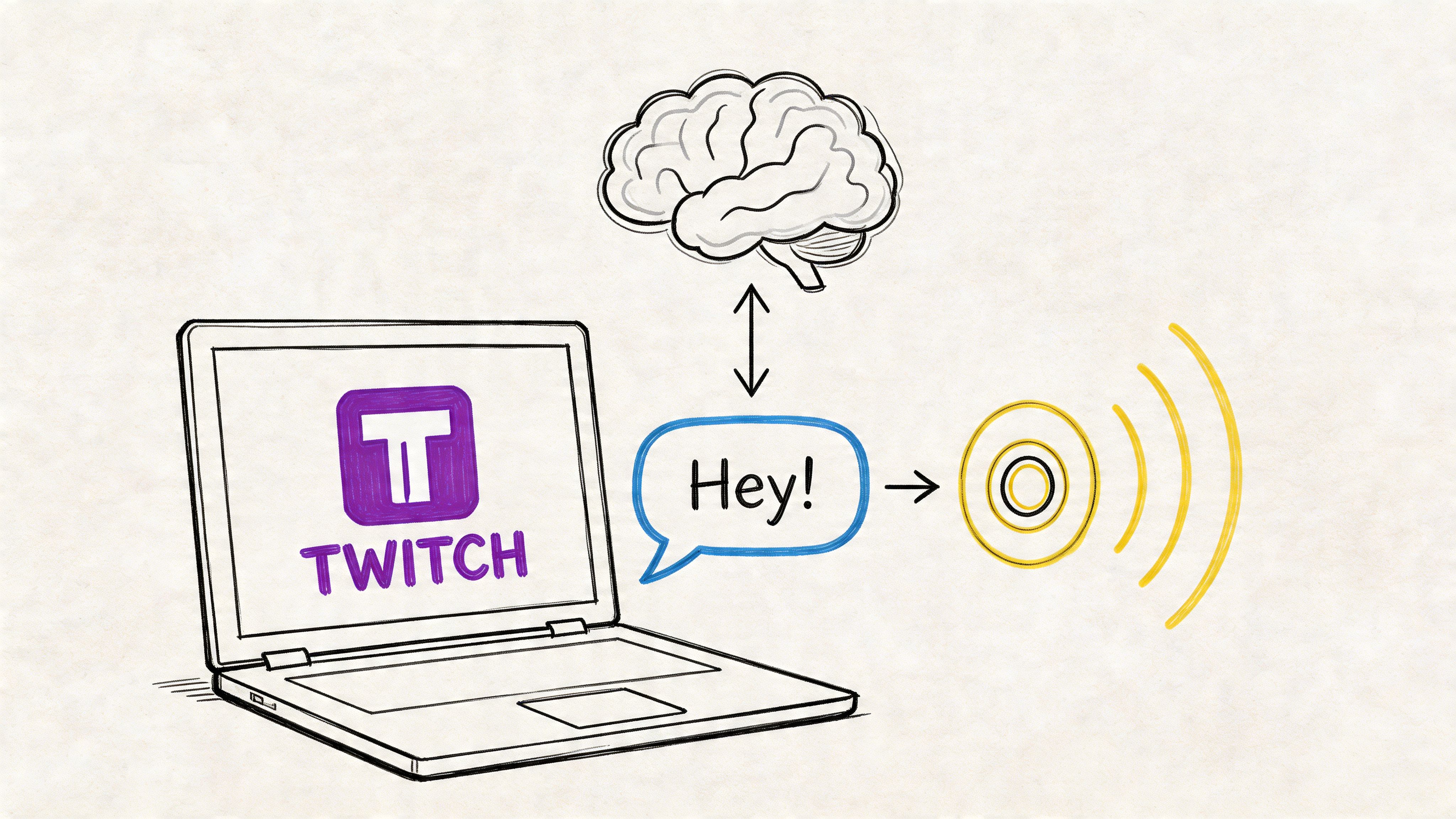
You’re probably here because you heard that classic Twitch moment. A message pops up, a synthetic voice blurts it out live, chat explodes, and suddenly the stream feels less like a broadcast and more like a room full of people messing with each other in real time.
That feature is TTS, short for Text-to-Speech. If you’re new to streaming, it can seem confusing at first. Is it a Twitch setting? A bot? A donation tool? A voice generator? The short answer is yes, kind of. It usually works by connecting Twitch events to a voice engine that reads viewer messages out loud.
For a lot of creators, the better question isn’t just what is tts on twitch, but why it matters so much. TTS changes chat from something you read with your eyes into something the whole stream hears together. That’s why it keeps showing up across gaming streams, Just Chatting channels, community nights, and event-style broadcasts.
What is TTS and Why is it Everywhere on Twitch
If you strip away the memes, sound effects, and chaos, TTS on Twitch is a system that turns written viewer messages into spoken audio during a live stream. A viewer types something, usually through a donation, sub alert, Channel Points redemption, or bot command, and a voice reads it on stream.
That’s the basic definition. The reason it feels bigger than a simple feature is because it changes how people participate. A normal chat message can disappear in seconds. A spoken message interrupts the moment and gives that viewer a turn on the mic.

Why streamers rely on it
TTS didn’t start as a built-in Twitch feature. It grew through third-party tools around 2014, then became a regular part of stream culture. According to Streamscharts' Twitch overview, Twitch averages 2 million viewers and 1.5 billion hours watched monthly, with chat activity reaching over 16 billion annual messages. In top channels, a significant portion of that activity is TTS-related.
That scale explains why TTS feels like it’s everywhere. Twitch is busy, noisy, and fast. Anything that helps a streamer notice viewers, reward participation, and create funny live moments gets adopted quickly.
A few reasons creators keep it on:
- It makes viewers part of the show. Their words don’t just sit in chat.
- It creates memorable clips. A perfectly timed TTS message can become the highlight of a stream.
- It supports monetization. Many streamers attach TTS to donations, subs, bits, or Channel Points.
- It helps with message visibility. Audio can cut through a fast-moving chat better than text alone.
TTS started as a gimmick for some channels, but on modern Twitch it often functions like audience participation software.
There’s also a quality angle that many beginners miss. A lot of first-time streamers think TTS always has to sound robotic because that’s what they hear most often. It doesn’t. Modern text-to-speech voice generator tools can produce much more polished voices than the default “computer voice” many people associate with Twitch alerts.
How Does Twitch TTS Actually Work
Think of Twitch TTS like a digital town crier. A viewer sends the message, a middle layer catches it, a voice engine turns it into speech, and your stream software plays it for everyone.
The whole thing sounds complicated until you break it into pieces. Under the hood, it’s just an automated chain.

The basic flow
Here’s the sequence most setups follow:
A viewer triggers TTS
This usually happens through a donation, subscription message, bits, a bot command, or a Channel Points reward.A tool catches the event
Services like Streamlabs, StreamElements, or a Twitch extension watch for that trigger.The text goes to a TTS engine
The engine converts the message into synthesized speech.An audio file or live audio output is created
That spoken version becomes something your stream software can play.OBS or another broadcast tool sends it live
Your viewers hear the message as part of the stream audio.
What the tools are each doing
A lot of confusion comes from people assuming Twitch itself handles every part. Usually, it doesn’t. Twitch provides the event. Another service handles the alert logic. Then your streaming software broadcasts the final result.
That’s why two streamers can both have “TTS on Twitch” but use completely different setups.
| Part of the system | What it does |
|---|---|
| Twitch | Supplies the trigger, like a sub, bits, or Channel Points redemption |
| Alert tool or bot | Detects the trigger and passes along the text |
| TTS engine | Generates the spoken voice |
| OBS Studio | Plays the resulting audio on stream |
According to StreamLadder's Twitch TTS guide, this setup supports over 140 languages with adjustable pitch and speed, and streamers commonly use cooldowns of around 10 seconds between redemptions to reduce spam.
Practical rule: If TTS feels “broken,” the issue is often not the voice itself. It’s usually the connection between the trigger, the alert tool, and your streaming software.
If you want a simple backgrounder on how text becomes spoken media in the first place, this guide to an AI audio generator from text is useful because it explains the voice-generation side without assuming you already understand streaming tools.
Getting Started with Twitch TTS Setup
You don’t need a complicated custom rig to start. Most streamers begin with Streamlabs, StreamElements, or a Twitch extension that offers TTS options. The dashboard labels vary, but the setup logic stays pretty similar.
The easiest way to think about it is this. You’re deciding which actions trigger speech, what voice reads the message, and what limits keep it from becoming a disaster.

Where most streamers enable it
If you use Streamlabs, TTS is often tied to your alert settings. You’ll usually look inside the Alert Box area for donations, bits, subs, or membership-style events, depending on your stack. In StreamElements, similar settings often live inside alert overlays or bot-connected modules.
If you’re using Channel Points, the path can be a little different. Some setups rely on extensions or tools that watch for redemptions and then trigger the audio. The exact menu names change over time, so it helps to search the dashboard for terms like “TTS,” “text to speech,” “alert voice,” or “speech.”
A beginner-friendly setup order
Don’t try to turn on everything at once. Start with one trigger and test it.
- Pick one event first. Donations are common because they’re easy to notice and test.
- Choose a short message limit. Long messages sound funny once, then become exhausting.
- Test the voice privately. Send sample text before going live.
- Confirm your audio routing. If your viewers can’t hear browser or alert audio, the TTS won’t matter.
- Save a backup scene. If the feature starts misbehaving live, you’ll want a quick way to disable it.
A lot of creators miss that last one. TTS is part content tool, part moderation risk. Build your off switch before you need it.
What to look for in the settings
Most dashboards ask for the same kinds of choices:
| Setting | Why it matters |
|---|---|
| Trigger type | Decides whether TTS plays for donations, bits, subs, or rewards |
| Voice selection | Changes the personality and tone of the readout |
| Message length | Prevents essays and spam walls |
| Minimum threshold | Helps control abuse for paid triggers |
| Cooldown | Stops back-to-back interruptions |
This walkthrough helps if you want to see a setup in motion:
Common setup mistakes
New streamers usually run into the same issues:
- The voice never plays because the browser source or alert audio isn’t included in the stream mix.
- Everything triggers TTS because multiple event types were enabled at once.
- The stream becomes unreadable because there’s no cooldown or word cap.
- The voice feels wrong for the channel because the default option was left untouched.
Start small. One trigger, one voice, one moderation rule. You can always add more once the system behaves the way you want.
Best Practices for Using TTS Effectively
Turning on TTS is easy. Using it well takes judgment.
The best streams don’t treat TTS like a novelty button. They use it as a managed part of the show. That matters because TTS does two jobs at once. It gives viewers another way to participate, and it creates a new stream element that can either improve the experience or wreck the pacing.
According to Murf's overview of Twitch text-to-speech, TTS works as both an engagement lever and revenue stream by adding an audio channel for messages that might otherwise get lost in fast chat. That dual-channel model turns passive viewers into active participants.
Keep the stream in control
A solid TTS setup needs guardrails. Without them, one funny feature can become an endless interruption machine.
A practical configuration usually includes:
- Minimum cost or threshold so viewers can’t flood it too cheaply
- Message length limits to stop giant text walls
- Cooldowns to preserve pacing
- Profanity and moderation filters to reduce obvious abuse
- Manual disable options for high-focus moments like ranked matches or serious segments
Match TTS to the kind of stream you run
A chaotic variety stream can tolerate louder, sillier TTS than a calm strategy channel or a story-heavy roleplay stream. That sounds obvious, but many creators copy another streamer’s settings without asking whether the vibe fits their own audience.
Here's a simple way to understand the concept:
| Stream style | Better TTS approach |
|---|---|
| High-energy gaming | Short messages, stronger cooldowns, comedic voices |
| Just Chatting | More flexibility, but still filtered and capped |
| Educational or analytical | Limited triggers, cleaner voice choices |
| Roleplay or immersive content | Strict moderation and more natural-sounding voices |
If a viewer message breaks the mood every time it plays, the setup isn’t helping your brand. It’s competing with it.
Reward participation, not disruption
The sweet spot is where TTS feels earned. Viewers should feel that triggering it is fun, a little special, and part of the community. They shouldn’t feel like they can hijack the stream whenever they want.
That usually means you want TTS to be interactive but scarce enough to matter. If every message gets spoken, nothing stands out. If only a few well-timed moments make it through, viewers pay attention.
The Problem with Standard TTS and How to Fix It
Most Twitch TTS guides stop too early. They explain how to switch the feature on, then act like the job is done.
It isn’t. The biggest weakness in standard TTS is usually the voice itself.

Why the default voice often hurts the stream
A generic robotic voice can be funny in short bursts. But if you’ve spent time building overlays, emotes, music cues, scene transitions, and a recognizable on-stream personality, that same voice can feel out of place fast.
That’s the part many newcomers notice without having the language for it. The stream looks polished, but the audio brand doesn’t match. The result is a small but constant break in immersion.
According to Resemble AI's Twitch TTS article, standard TTS voices are often described as robotic and lacking customization, and there was a 40% rise in AI TTS adoption among mid-tier streamers in 2025-2026. That points to a real shift in what creators want from these tools.
Better voices change how TTS feels
Once you hear a more natural voice in a Twitch context, the difference is obvious. The message stops sounding like a system error and starts sounding like a designed part of the stream.
A better TTS voice can help with:
- Brand consistency if your stream has a specific tone
- Listener comfort during longer messages
- Character work if you use themed alerts or roleplay moments
- Multilingual communities that need broader voice and language support
That doesn’t mean every stream needs ultra-realistic speech. Some creators want absurdity. Some want clean and neutral. Some want a fake announcer voice. The key is having a choice, not being stuck with one default robot.
The problem isn’t that synthetic voices exist. The problem is settling for one that sounds accidental.
If you want to hear what more polished options sound like, this roundup of realistic text-to-speech voices is a helpful starting point for understanding what modern AI voices can do beyond basic alert reading.
Upgrading Your Stream with Lazybird's AI Voices
If your current Twitch TTS setup works but sounds flat, the next upgrade isn’t another alert box. It’s voice quality.
That’s where a dedicated tool like Lazybird makes sense for creators who want more control over how their stream sounds. Lazybird offers over 500 lifelike AI voices across 150+ languages and accents, with controls for pitch, speed, pauses, pronunciation, and speaking tone. For streamers, that opens up better options for alert personalities, multilingual community moments, and cleaner branded audio.
It also supports AI voice cloning, which is useful if you want a custom voice identity across your content. A streamer might use one voice style for Twitch alerts, another for YouTube intros, and a cloned voice for recurring channel bits or announcements.
If you’re comparing tools in this space, it can also help to look at adjacent products like lunabloomai's AI voice app to understand how different creators approach generated voice workflows. The key difference to look for is control. Not just whether the text gets read, but whether the voice sounds like it belongs in your content.
For Twitch, that’s a significant upgrade. TTS stops being a basic utility and starts acting like part of your production quality.
If you want Twitch alerts, YouTube narration, podcast intros, or branded AI voiceovers that sound more polished than standard robotic TTS, try Lazybird. It gives creators lifelike voices, deep voice controls, multilingual support, and AI voice cloning in one simple workflow.
