Text to Speech Voice: A Creator's Guide for 2026
You’re probably here because audio has become the bottleneck.
Your script is done. The visuals are roughed in. The edit is moving. Then the voiceover step shows up and slows everything down. Maybe you record yourself and spend too much time fixing mouth noise, retakes, and uneven pacing. Maybe you hire voice talent and then realize a single script change means another round of messages, approvals, and pickups.
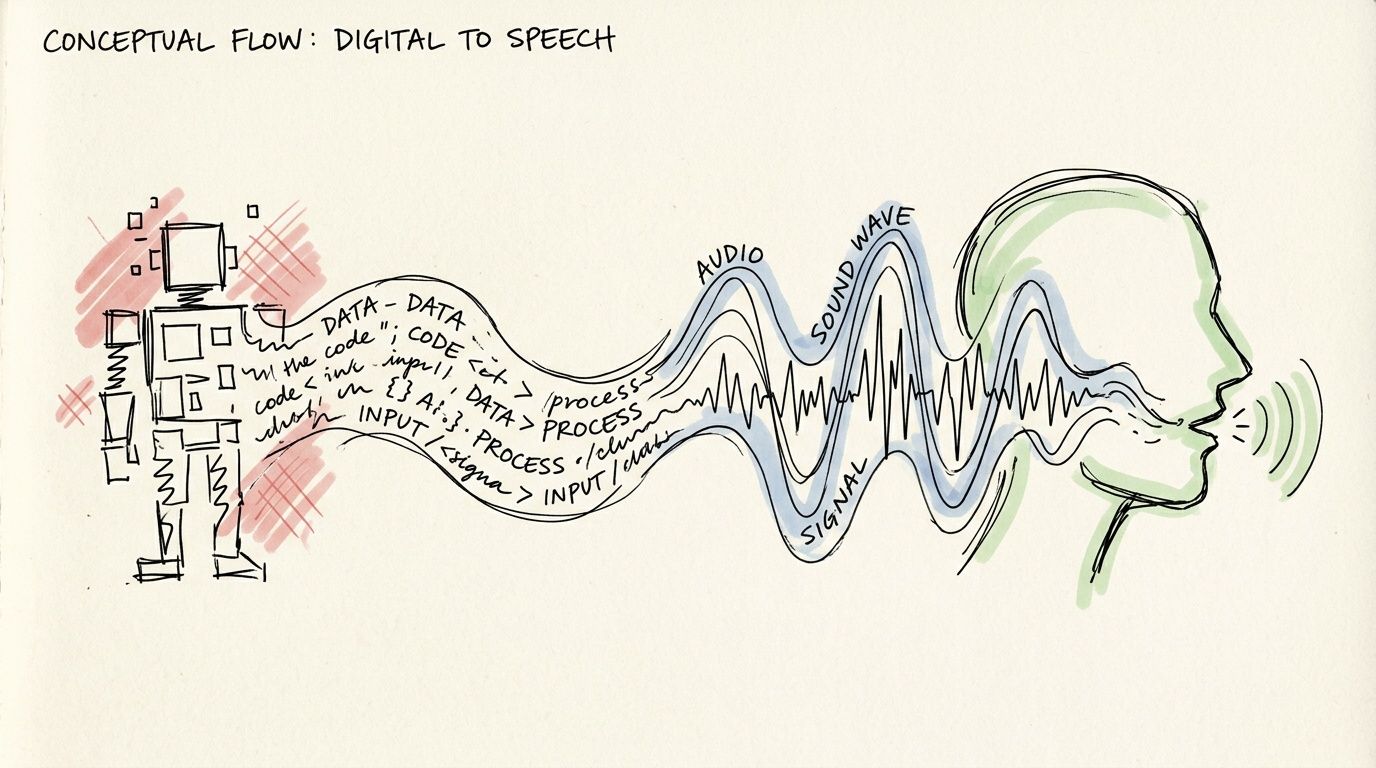
That’s why the modern text to speech voice matters to creators. Not as a bargain-bin replacement for real performance, but as a creative tool that gives you speed, repeatability, and control. If you consider it as a digital actor you can direct, the whole category starts to make more sense.
The Hidden Costs of Traditional Voiceovers
A lot of creators don't realize the hardest part of voiceover isn't just the recording. It's everything around it.
You write a script for a YouTube explainer. Then you read it out loud and notice it doesn't sound natural. You revise it. You record take after take because one sentence lands flat and another line peaks. Then the edit changes, so your timing no longer fits the visuals. Now you need pickups. The pickups don't quite match the original energy. You hear the mismatch immediately.
If you hire a voice actor, different problems show up. You need to audition voices, explain the tone, wait for delivery, review the files, request changes, and hope the second version matches what you heard in your head. That process can absolutely produce strong results, but it asks for coordination every single time.

Where the friction really shows up
The pain usually isn't dramatic. It's cumulative.
- Script changes: A new product name, a corrected date, or a shorter intro can force a re-record.
- Performance drift: Your first read has energy. Your sixth read sounds tired.
- Production mismatch: The voice sounds right on its own, then feels too fast once music and visuals are added.
- Consistency problems: A series, course, or podcast needs the same sound across episodes.
Practical rule: If you expect to revise your script after the first render, your voice workflow needs to be editable, not fragile.
Creators usually hit this wall when they scale. One video is manageable. A content pipeline isn't. Weekly uploads, course modules, social clips, podcast inserts, alternate versions, different languages, sponsor reads. Suddenly the old voiceover process starts behaving like a scheduling problem.
That’s where AI voices become useful in a professional way. A good text to speech voice lets you revise lines quickly, keep the same narrator across projects, and shape delivery without rebuilding the whole production from scratch. The big shift is mental. You stop treating voiceover as a one-time recording event and start treating it like an editable layer in your creative workflow.
Why creators are rethinking the process
The strongest use case isn't "I need a voice, any voice."
It's "I need a voice performance I can keep refining while the project evolves."
For video creators, that changes everything. You can test a more serious read for a documentary intro, slow down a training module for clarity, or add a longer pause before an important line. Those are directing choices. And once you see AI voices that way, the technology stops feeling abstract.
The Evolution from Robotic to Realistic Voices
A creator who last heard text to speech years ago usually expects the same thing. Stiff pacing. Metallic tone. A voice that can read words but cannot carry a scene.
That expectation is outdated.
Early synthetic speech earned its reputation because it focused on intelligibility first. The system’s job was to pronounce the text clearly enough to understand. For audience-facing work, that was rarely enough. A training video, documentary intro, or product story needs more than correct pronunciation. It needs timing, tone, and a sense of intention, the same qualities a director listens for in a human read.
The long road to believable speech
Text-to-speech has been developing for more than 250 years, from Wolfgang von Kempelen's mechanical speaking machine in 1791 to Bell Labs’ 1961 IBM 704 demonstration of synthesized singing in “Daisy Bell,” as outlined in this history of text-to-speech. Those early milestones mattered because they proved speech could be generated at all. They did not yet solve the creative problem of sounding human.
By the late 1980s and early 1990s, synthetic voices started showing up in products that ordinary people used. For many creators, that era defined the stereotype. The voices were functional, but they often felt like a rough storyboard for speech rather than a finished performance.

What changed the sound
The improvement came in layers.
In the 1980s, many systems used formant synthesis, which generated speech from acoustic rules. It was efficient, but the result often had the thin, electronic quality people still associate with old TTS. In the 1990s, concatenative synthesis improved realism by stitching together short pieces of recorded human speech. That made longer passages easier to listen to because the voice carried more natural texture and less synthetic harshness.
As Lyric Winter’s overview of the evolution of text-to-speech notes, quality kept improving as researchers refined how systems handled tone, consonants, and phrasing. That shift matters for creators because better TTS was not only about cleaner sound. It was about gaining more believable delivery. The voice stopped sounding like a machine reciting text and started sounding more like a performer following direction.
A useful way to frame the change is this: older systems were built to say the line. Newer systems are built to interpret it.
That is why modern TTS fits creative work much better. If you are shaping a tutorial, ad, explainer, or story-driven video, the voice now behaves more like a controllable performance asset inside your edit.
Why this history matters to your workflow
A modern text to speech voice is not interesting because it mimics a human in a lab-demo sense. It matters because it gives creators more control from the director’s chair. You can choose a voice that fits the project, then shape pacing, tone, and emphasis so the narration supports the cut instead of fighting it.
If you want a closer look at the qualities that make current AI narration sound more convincing, this guide to realistic text-to-speech voices for creators is a useful next read.
The old stereotype still hangs around, but the tool has changed. For creators, the core question is no longer whether AI can speak clearly. The fundamental question is whether you can direct that voice to tell the story better.
How Modern Text to Speech Voices Actually Work
Modern text to speech feels less confusing once you view it like a production workflow.
A creator writes the script. The system studies the words and plans how they should be spoken. Then it renders that plan into audio. The process is technical under the hood, but the creative result is familiar. You are shaping a performance.

Stage one creates a performance blueprint
Most modern neural TTS systems use two main parts. First, an acoustic model turns text into an intermediate representation, often a mel-spectrogram. Then a neural vocoder converts that representation into the waveform you hear, as explained in Picovoice’s guide to text-to-speech.
The mel-spectrogram works like a shot list for the voice.
It is not the finished read. It is a map of how the line should unfold over time, including timing, stress, phrasing, and pronunciation. The model learns those patterns by training on many examples of speech paired with text, so it can predict how a new script should sound before any final audio is generated.
Stage two turns the blueprint into sound
The vocoder handles the audible layer. It takes that blueprint and produces the sound wave that comes through your headphones or speakers.
If stage one decides a sentence should slow down near the end, lift slightly on a question, or pause before a key reveal, stage two makes those choices audible. For creators, that split matters because it makes the process easier to direct. You are shaping delivery choices, not treating the voice like a fixed recording.
| Step | What happens | Creative meaning |
|---|---|---|
| Text input | Your script enters the system | The scene starts with your words |
| Language analysis | The system interprets punctuation, structure, and pronunciation | The AI prepares a likely read of the line |
| Acoustic model | It creates a mel-spectrogram | A performance blueprint takes shape |
| Neural vocoder | It generates the waveform | The blueprint becomes audible speech |
| Output voice | You hear the final read | You review the take and direct changes |
Where creative control enters the process
This structure is why modern TTS can respond to direction. Pitch, pace, pauses, and emphasis can all be adjusted because the system is modeling how speech should be performed, not just converting letters into sounds. If you want a more technical view of how creators build this into apps and workflows, this guide to a text-to-speech API for voice generation is a useful reference.
Prosody is the term you will hear most often here. It means the motion of speech. The rhythm. The rise and fall. The moment a line hangs for half a beat before the next word lands.
A small change in prosody can change the whole scene.
- "You can use this tool today."
- "You can use this tool... today."
The script stays the same. The direction changes.
A creator-friendly way to read the pipeline
You can simplify the full process into five practical steps:
- You write the script
- The AI interprets pronunciation and phrasing
- The system maps those choices into speech features
- The vocoder generates the audio
- You revise the delivery until it matches the project
Treat the first render like a table read.
That mindset helps because the first output is usually a starting point, not the final take. You might shorten a sentence that feels crowded, add punctuation to guide pacing, swap to a different voice, or insert pauses where the edit needs room to breathe. Once you see modern TTS as a controllable performance pipeline, the technology stops feeling abstract and starts feeling like a practical tool in the director's chair.
Key Features to Evaluate in a TTS Voice Generator
Not all TTS tools are built for the same job.
Some are fine for reading a short notification. Some are good for accessibility use cases. Some are designed for creators who need long-form narration, tone control, and repeatable voice direction. If you're choosing a platform for video, podcast, course, or audiobook work, a flashy voice demo isn't enough. You need to know what the tool lets you shape.
Start with naturalness, then test flexibility
The first question is simple. Does the voice sound believable for your format?
A voice can sound polished in a short sample and still fall apart in a longer script. Listen for sentence endings, emphasis, breaths, transitions between paragraphs, and how the model handles names or technical terms. Documentary narration, app explainers, and training modules all need different kinds of credibility.
Then test flexibility. Change the script slightly. Shorten one line. Add a parenthetical. Insert a pause. A useful creator tool should remain coherent when real scripts get messy.
The emotional nuance gap
A lot of platforms advertise "emotional" or "expressive" voices. The problem is that those labels often stop at voice selection.
As noted by TTSStudio, there's a real gap in helping creators systematically adjust prosody like pitch, pace, and pauses to match emotional shifts. Accuracy metrics don't solve the core creative problem. A line can be pronounced correctly and still feel wrong for the scene.
That matters most in long-form content. A YouTube essay might need authority in the opening, warmth in the middle, and urgency near the conclusion. A course module might need steady calm, not theatrical drama. The best tools don't just give you a voice. They let you direct how that voice moves through different moments.
If a platform only lets you choose a "style" but not shape a sentence, you're still working with presets, not performance.
Features that matter in day-to-day production
Here’s a practical checklist for creators.
- Voice library depth: You want enough variety to match brand tone, audience, and format. Different accents, age ranges, and speaking styles give you room to cast appropriately.
- Language coverage: If you produce multilingual content, voice quality across languages matters as much as the count itself.
- Prosody controls: Pitch, speed, pauses, and emphasis are often more important than the base voice.
- Pronunciation tools: Brand names, product terms, and surnames need manual control sometimes.
- Export options: You need audio files that fit your editing workflow cleanly.
- Consistency across projects: A series should sound like a series.
Some tools lean toward developer workflows. Others lean toward studio-style editing. For teams that need integration, it's also worth reviewing how a platform exposes programmatic control. This overview of a text-to-speech API gives a useful lens on what API access can enable in production pipelines.
A quick comparison of synthesis approaches
| Technology Type | How It Works | Pros | Cons |
|---|---|---|---|
| Rule-based synthesis | Uses phonetic and pronunciation rules to generate speech | Predictable, historically important, lightweight | Often sounds robotic and stiff |
| Concatenative synthesis | Stitches together recorded speech segments | Clearer and more human than older rule-based systems | Can sound unnatural at transitions or with unusual phrasing |
| Neural TTS | Uses an acoustic model and neural vocoder to generate speech | More natural, more expressive, better control over delivery | Quality still depends on tool design and creator input |
Specific tools creators often compare
When people shop this category, they often compare platforms like Murf, ElevenLabs, and Lazybird.
The useful way to compare them isn't by asking which one is "best." It's by asking which one fits your actual production style. If you need fast script-to-audio generation with creator-focused controls, look for practical editing tools around pacing, pronunciation, and tone. If you need a broad voice library, compare casting range. If cloning matters, examine both the feature and the responsibilities that come with it.
That’s especially true with voice cloning. It's powerful, but it changes the decision from "Which voice should I pick?" to "How should I manage a synthetic voice identity over time?"
Don't let feature lists distract you
A long feature list can hide the only question that matters.
Can you get from script to believable final audio without fighting the tool?
If the answer is yes, you’ve found something useful. If the answer is "kind of, after a lot of compromise," the tool may be technically capable but creatively limiting. For most creators, the winning platform is the one that behaves less like a vending machine and more like an edit-friendly performance workspace.
Common Use Cases for AI Voices in Content Creation
AI voices make the most sense when you attach them to a real production job.
A text to speech voice isn't one thing. It's a narrator, a host, an explainer, an ad reader, a lesson guide, or a recurring brand voice depending on the format. Once creators stop thinking in terms of "AI audio" and start thinking in terms of scenes, episodes, and deliverables, the use cases become obvious.

YouTube narration that stays consistent
A faceless channel often lives or dies on consistency. If your documentaries, explainers, or list videos all sound slightly different each week, the brand starts to feel unstable.
AI narration helps when you need one voice across a multi-part series. You can keep the same narrator for every episode, revise sections late in the edit, and match timing to visuals more precisely than you could with a one-take recording workflow. This is especially useful for history channels, software tutorials, and educational essays where clarity matters more than personality overload.
Podcasts, intros, and recurring segments
Not every podcast needs a fully synthetic host. But AI voices are handy for recurring pieces that need the same timing every time.
Think show intros, sponsor bumpers, chapter markers, recap sections, or alternate-language versions. If you're building a polished production, these repetitive elements are perfect candidates for a text to speech voice because they benefit from control and repeatability.
For creators building a wider stack, MakerSilo's guide to top content creation tools for 2026 is a useful roundup of adjacent tools that support scripting, editing, and publishing around the audio process.
E-learning and training content
Course creators run into a specific problem. Their content changes.
A lesson gets updated. A button label changes in the app you're teaching. A compliance module needs revised wording. With traditional recording, each update can become a mini production task. AI voice workflows make those updates easier because you can replace just the affected lines and keep the rest of the module intact.
That’s why this format fits:
- Course narration: Clear, repeatable lessons across many modules
- Corporate training: Fast updates when procedures change
- Software walkthroughs: Easier sync with screen recordings after UI edits
Here’s a quick demonstration format many creators use as part of their workflow:
Audiobooks and social content
Independent authors and short-form creators use AI voices differently, but both care about speed.
An indie author may want a clean spoken version of chapters for sampling, bonus content, or full narration experiments. A short-form creator may need daily voiceovers for TikTok, Instagram Reels, or product promos. In both cases, the creative advantage is iteration. You can test alternate hooks, swap pacing, and adapt the same script for multiple formats without booking new recording time.
Short-form creators often need the voiceover after the visual idea exists, not before. Editable AI narration fits that reality well.
The common thread across all these examples is simple. AI voices work best when the project demands repeatability, frequent revision, or a consistent branded sound over time.
Best Practices for Directing Your AI Voice Actor
You finish the edit, drop in the narration, and suddenly the whole scene feels off. The words are correct, but the performance misses the point. That usually is not a voice generator problem. It is a directing problem.
A text to speech voice works best when you treat it like a performer in your production. You are still making creative choices about pacing, emphasis, mood, and timing. The tool reads the script, but you shape the performance.
Write for the ear, not the page
A script can look polished on the screen and still sound awkward out loud. Spoken language needs cleaner structure because the listener cannot reread the sentence.
Shorter sentences usually help. So does putting one idea in each line instead of stacking several thoughts into one breath. If a sentence twists halfway through, the voice often sounds uncertain because the structure itself is uncertain.
A simple test helps. Read the line aloud once at your normal speed. If you need to slow down just to make sense of it, rewrite it before you generate anything.
Here are a few practical fixes:
- Trim long sentences: Give the voice clear stopping points.
- Cut extra clauses: Fewer detours make the message easier to follow.
- Use concrete words: Specific language gives the delivery more shape.
- Place the key idea late in the sentence: That helps the ending land with more force.
Use punctuation like directing notes
Punctuation does more than clean up grammar. It helps control rhythm, like marks on a script that tell an actor where to pause or hold back.
A comma creates a short beat. A period gives the line a full stop. A question mark can lift the ending. An ellipsis can suggest hesitation, but only if you use it sparingly. Too much punctuation styling can make the read feel artificial.
After that, adjust voice settings with intention. Slow the pace when you need clarity. Add a pause where the audience needs a second to absorb a point or where the visuals need room to breathe. If you are building skits or stylized performances, this guide to character text-to-speech voices for performance-based content can help you choose a voice that fits the role.
The script gives the lines. Punctuation and timing give the performance.
Test multiple reads before you choose one
Directors rarely settle for the first take, and AI voice work benefits from the same habit.
Pick one important line and generate a few versions. Try one faster read, one slower read, and one with a longer pause before the final phrase. Then place those options against your visuals, music, and cuts. A take that sounds great by itself can feel too slow once it sits inside a fast edit.
This matters most in moments where timing changes meaning:
- Opening hooks that need energy without sounding rushed
- Calls to action that need clarity on the first listen
- Tone shifts where a scene turns from informational to emotional
The useful question is not, "Which version sounds nicest?" It is, "Which version helps this scene do its job?"
Save advanced controls for specific problems
SSML and similar markup tools can help with pronunciation, emphasis, and precise pauses. They are useful, especially when a brand name, technical term, or unusual rhythm keeps coming out wrong.
But they are not a substitute for good direction. Start with the script. Then fix punctuation. Then adjust speed, pauses, or voice choice. Use markup when you know exactly what problem you are solving.
That order saves time. It also keeps you in the director's chair instead of getting lost in settings.
Be careful and clear with voice cloning
Voice cloning gives creators a powerful option, especially when you want a repeatable voice identity across many projects. It also adds brand and trust questions that deserve real attention.
Proto notes in its discussion of voice AI and underserved languages that over 1 million users have adopted TTS, and broad adoption makes audience expectations around disclosure more important, not less. The source is Proto’s discussion of voice AI and underserved languages.
If you clone a voice, check a few things first:
- Rights: Confirm you have permission to use the source recordings.
- Platform rules: Review disclosure requirements where you publish.
- Brand fit: Decide whether a synthetic version supports or blurs your identity.
- Audience trust: Be clear when transparency helps the relationship with listeners.
A cloned voice can save production time. It can also create confusion if the audience feels misled. The safest approach is to treat synthetic voice identity like casting and branding, not just a clever feature.
Your New Creative Partner Is an AI Voice
The most useful way to think about a text to speech voice is not as a trick, a shortcut, or a novelty.
It’s a production tool that gives creators a new layer of control. The old version of TTS focused on getting words spoken. The modern version lets you shape pacing, tone, emphasis, and consistency in ways that fit real content workflows. That matters when you're making videos on a deadline, updating course material, testing short-form hooks, or trying to maintain a recognizable voice across a growing library.
The biggest shift is creative, not technical. You stop asking, "Can this tool read my script?" and start asking, "Can this tool perform my script the way this scene needs?" That’s the director’s-chair mindset. It puts the creator back in control of the voice instead of locking the result inside a one-time recording.
If you work in content, that flexibility is hard to overstate. A line changes. A scene runs long. A brand tone evolves. A pronunciation needs fixing. With the right workflow, those aren't production crises anymore. They're edits.
And that's why AI voice technology keeps finding a place in modern media production. Not because it replaces creativity, but because it gives creativity a faster, more editable audio layer.
If you want to put that approach into practice, Lazybird is built for creators who need direct control over voiceover production. You can generate voiceovers from text, adjust pitch, speed, pauses, pronunciation, and speaking tone, experiment with AI voice cloning, and work with built-in stock images, videos, and audio in the same platform. If your goal is to direct an AI performance instead of settling for a default read, it’s a practical place to start.
